PDF Network Configuration Guide
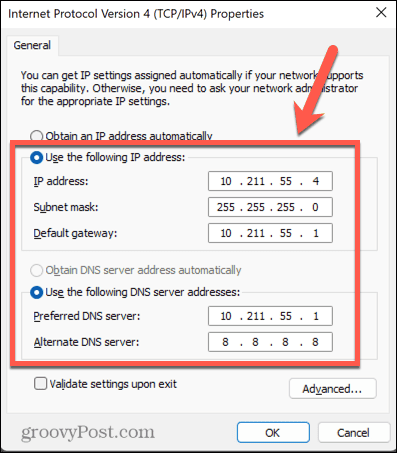
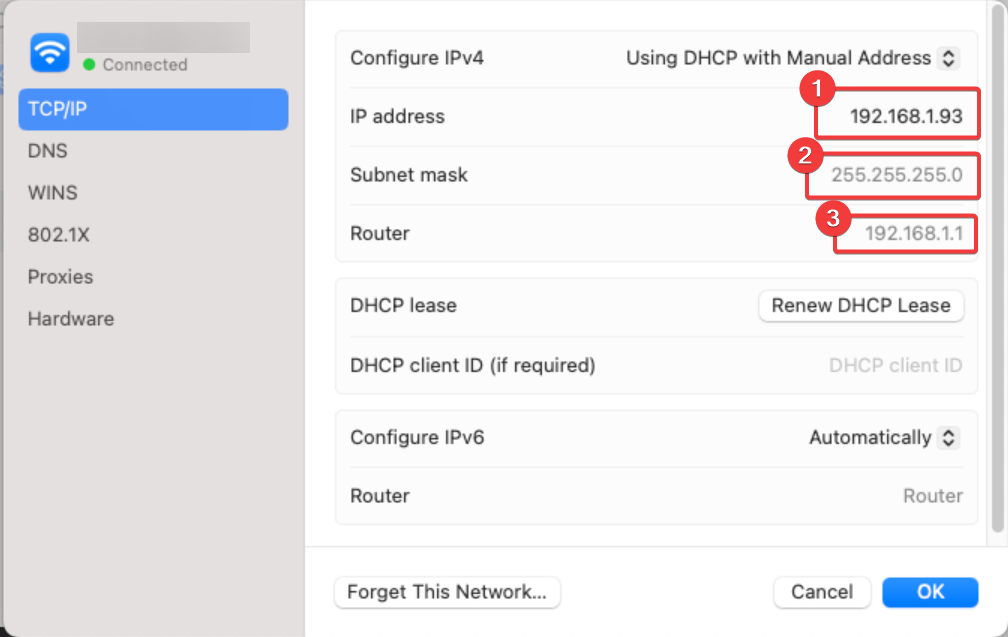
You will need part or all of the information listed below if planning to configure wireless LAN settings manually or wanting to use a fixed IP address for the printer .
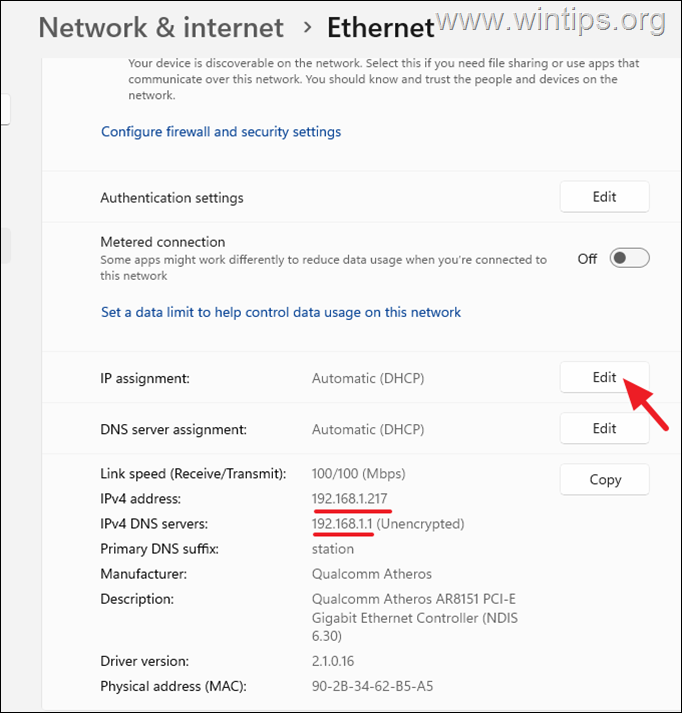
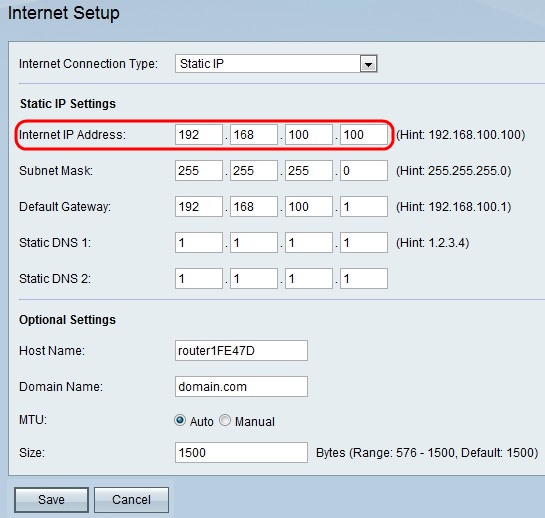
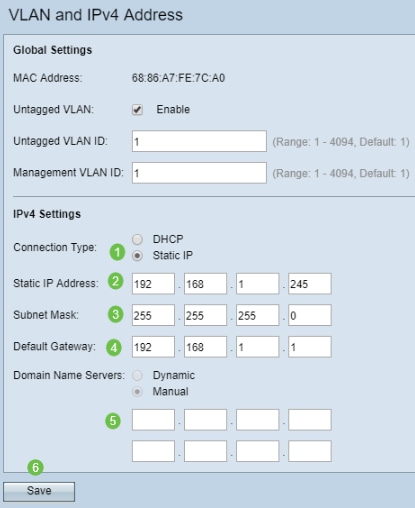
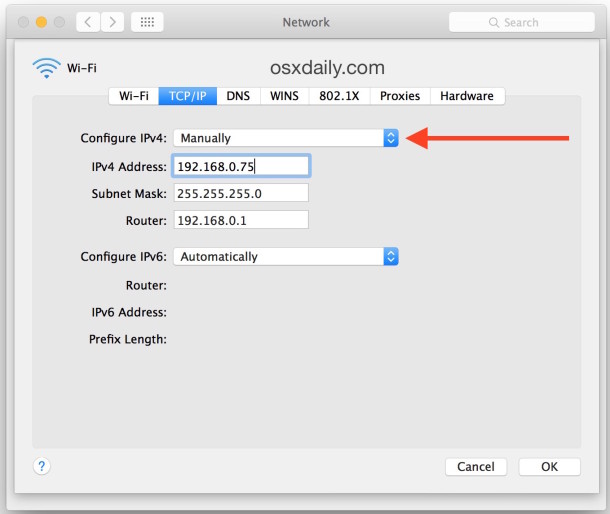
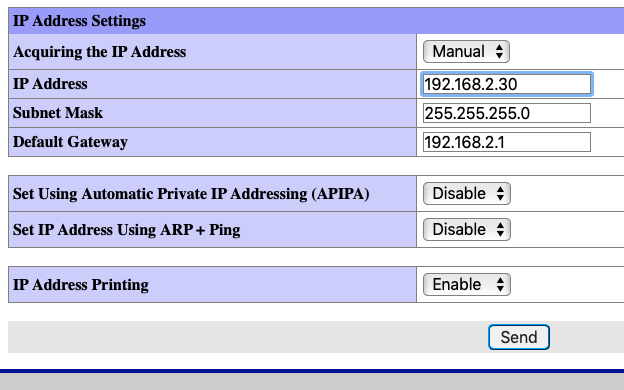
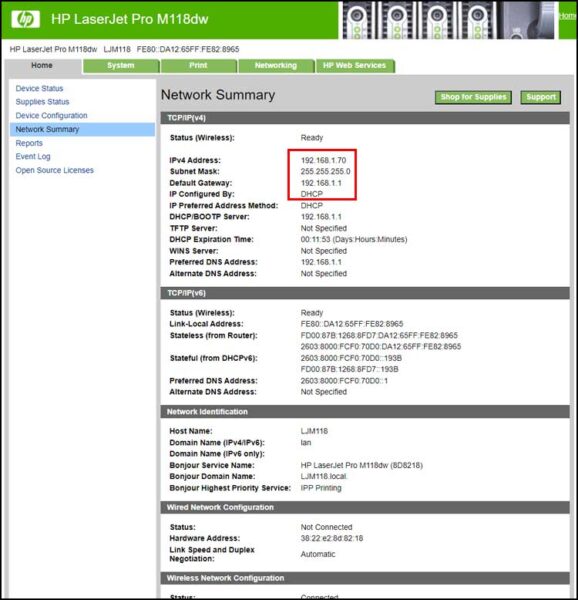
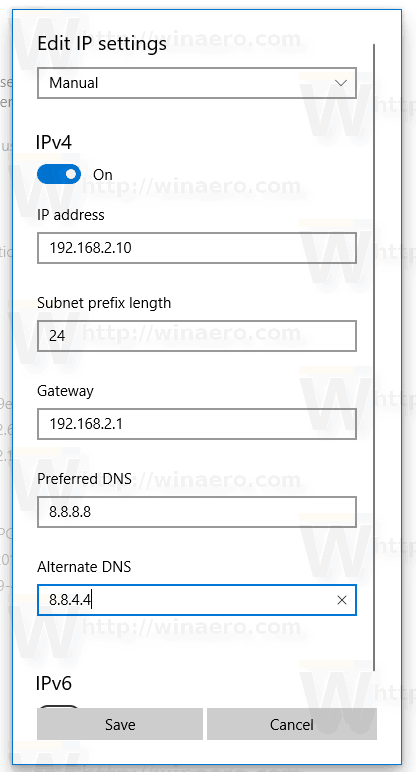
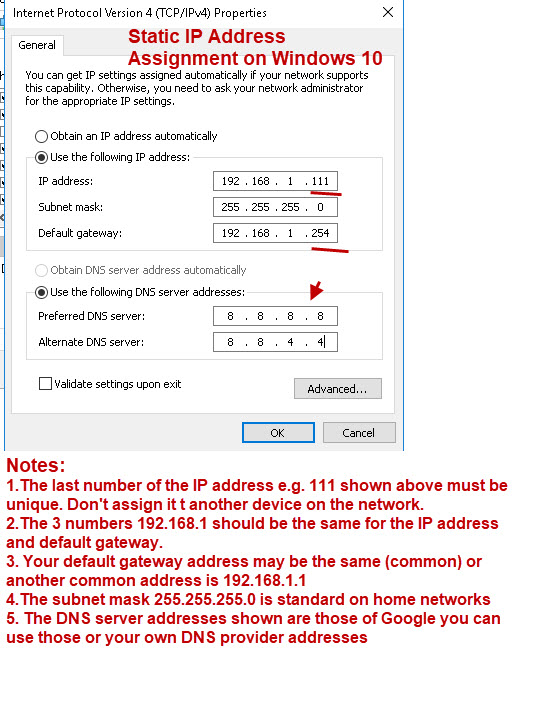
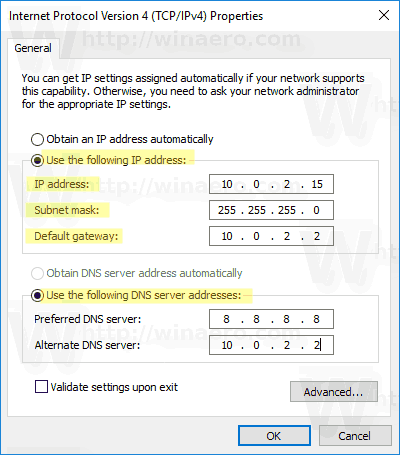
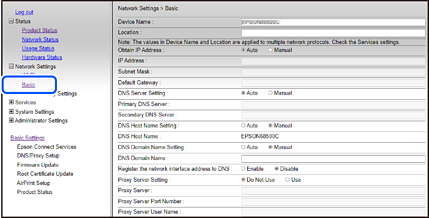
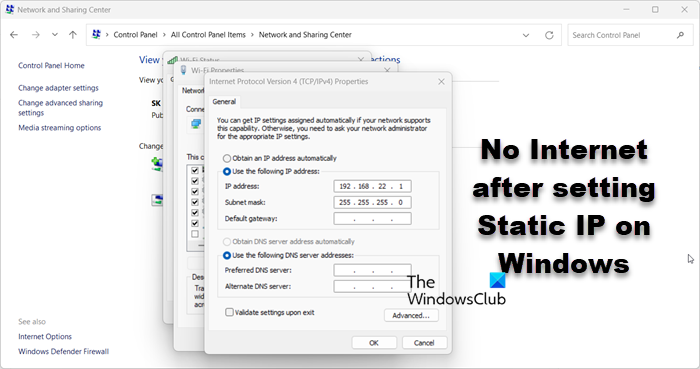
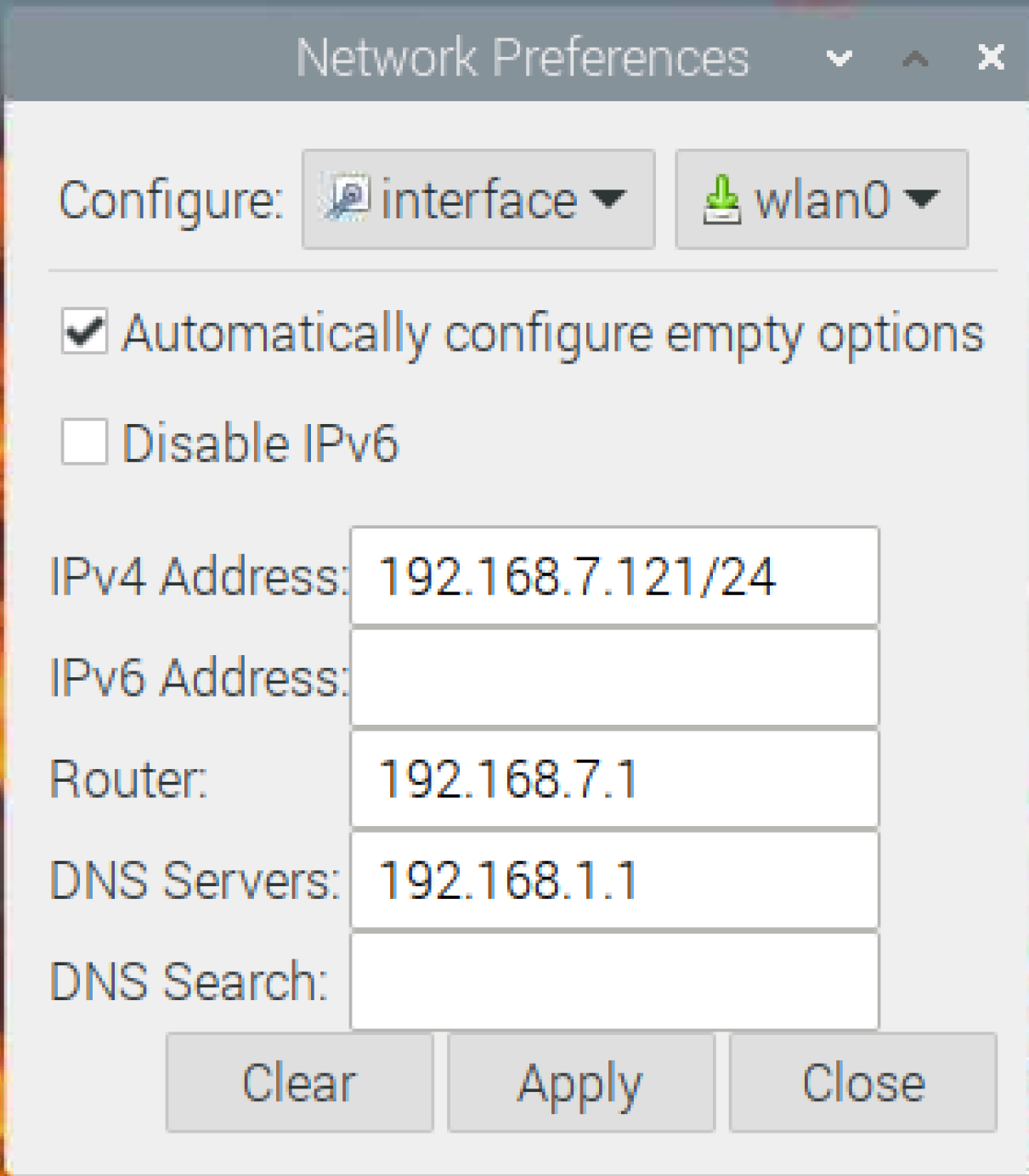
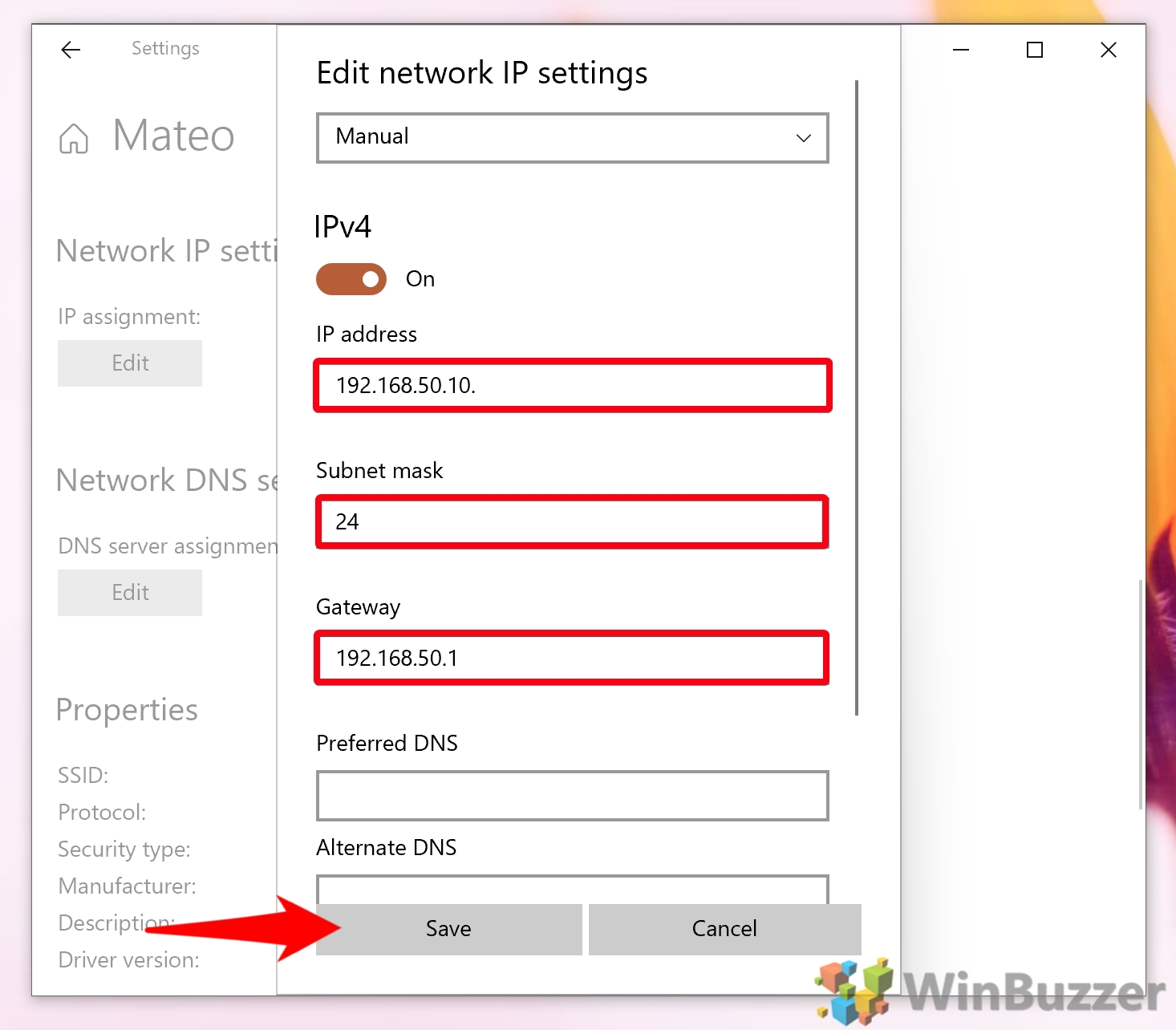
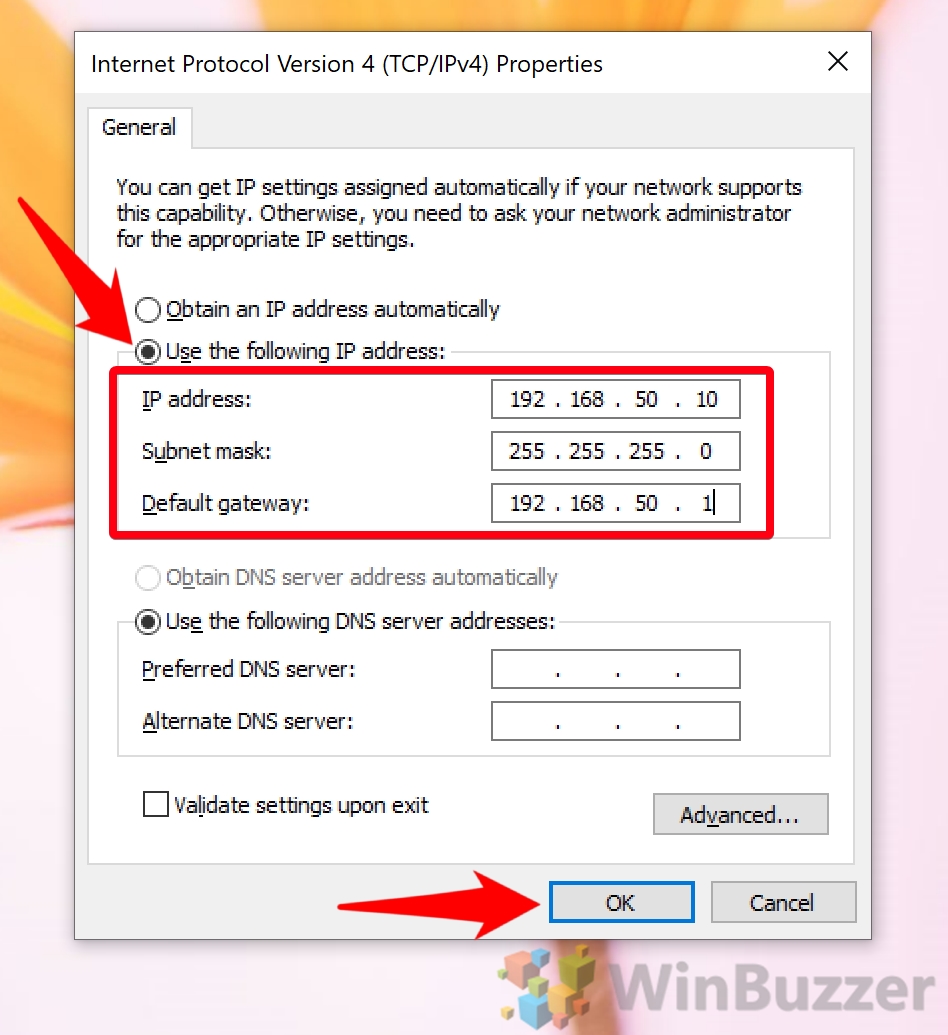
Set the IPv4 address to be used by the network . An IPv4 address is assigned automatically each time the printer is turned on. Normally, select these items. Select this item to use a fixed IP address . Specify the [ IP Address ], [Subnet Mask], and [Default Gateway] values. IPv6 is enabled.
How to fix wireless printer connectivity problems in Windows Step by ...
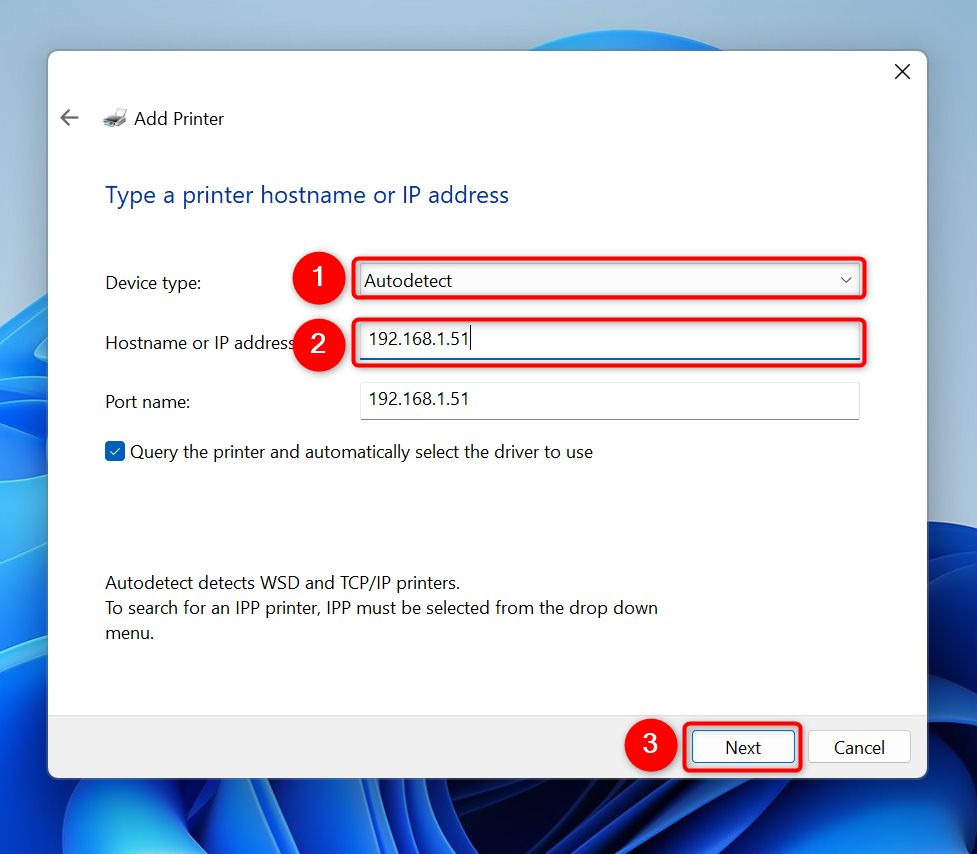
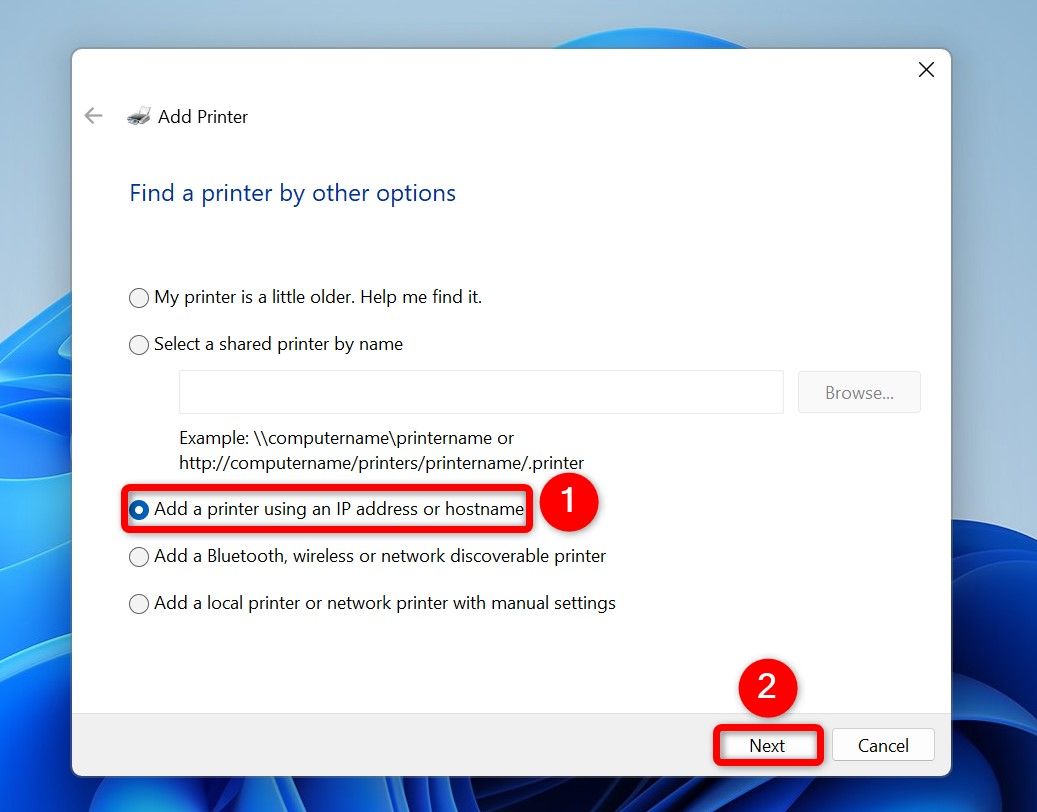
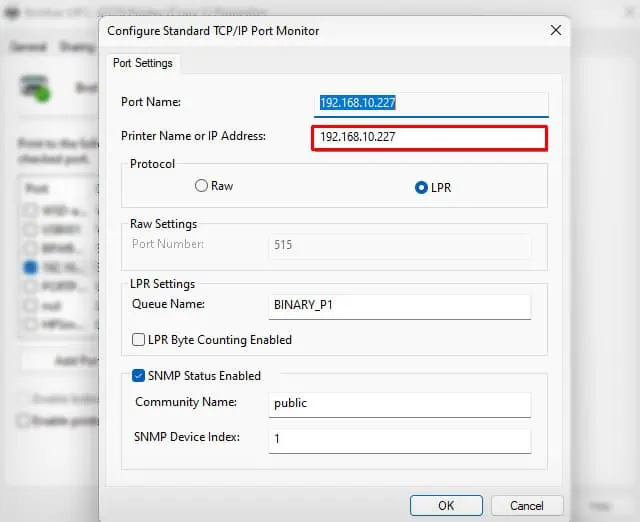
Fix wireless printer connectivity problems by finding your wireless printer in the network that won't print, choosing the correct IP address , configuring a static IP address , and reconfiguring the printer installation in Windows.

Such details provide a deeper understanding and appreciation for Wireless G Printer Setup With Network Fixed Ip Address Settings.
Find trusted solutions for your printer issues with our step-by-step guides! No more frustrations! Trust our expert advice for all your printer troubleshooting needs.
If you are not sure what values you should enter for the IP address , contact your network administrator or see "Determining Which IP Address to Assign to the Printer " for more information.
Assign a static IP address to a printer or device! Ensure stable network connections and avoid IP conflicts with this step-by-step guide.
3 Ways To Assign A Static IP Address To A Printer

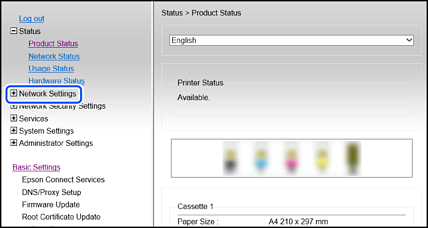
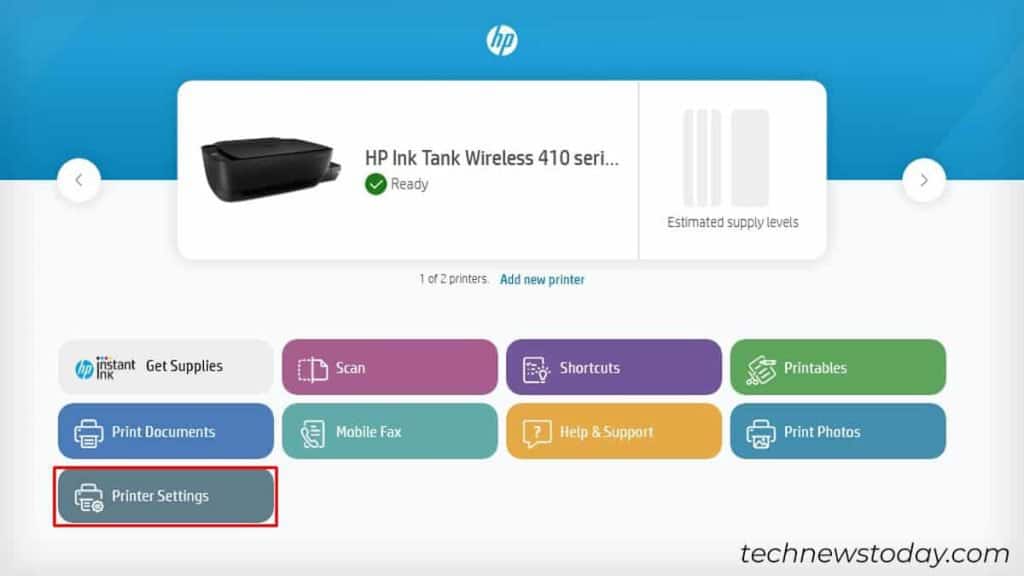
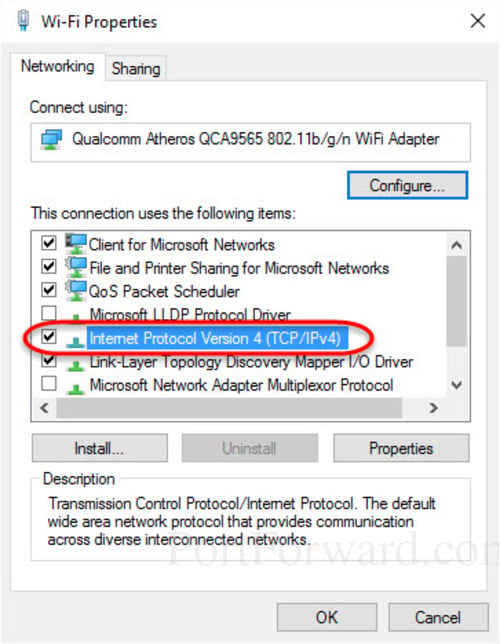
Open printer settings using the Settings icon. Tap Wi-Fi. Click TCP/ IP . Tap Boot Method. Choose Static. Then select the IP address option. Assign the static IP and click OK.
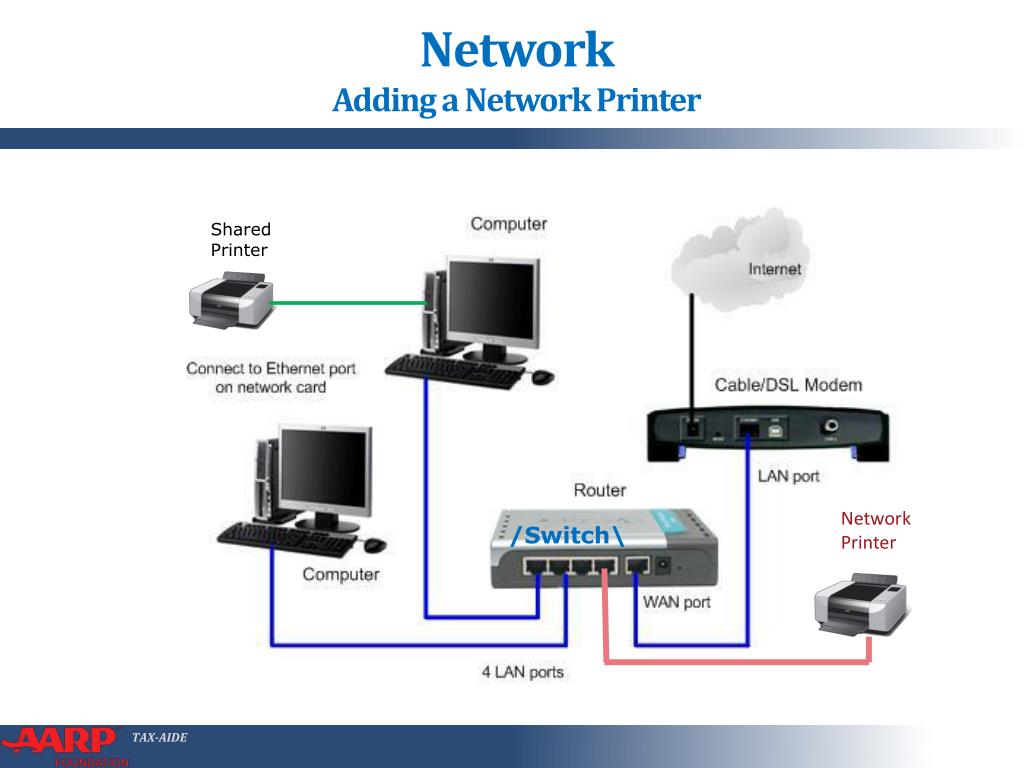
Understanding your IP printer address and knowing how to set, change, or assign a static IP to your printer . This guide walks you through everything, step by step, for Windows and macOS, so you can maintain a stable connection and print without interruption.
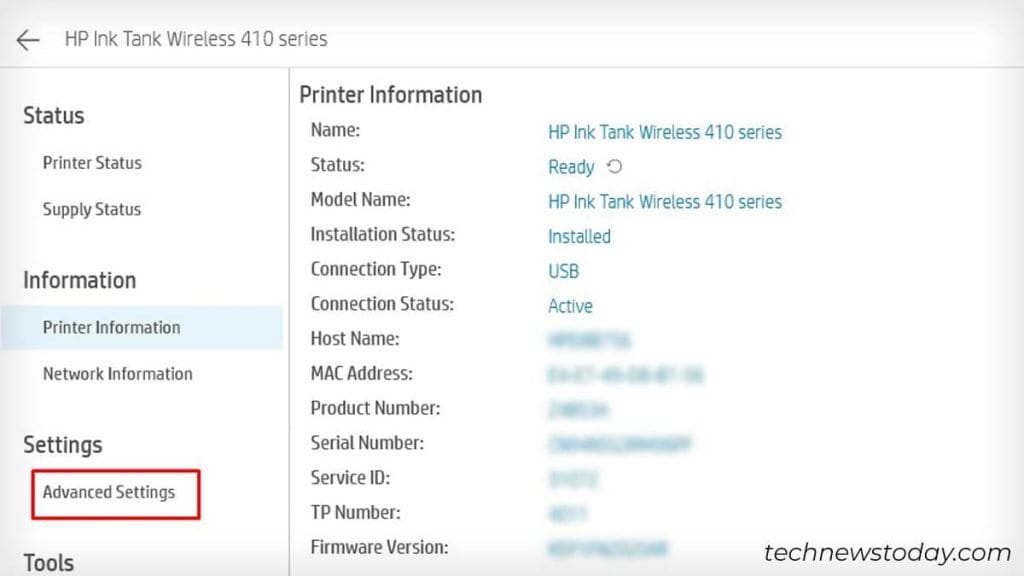
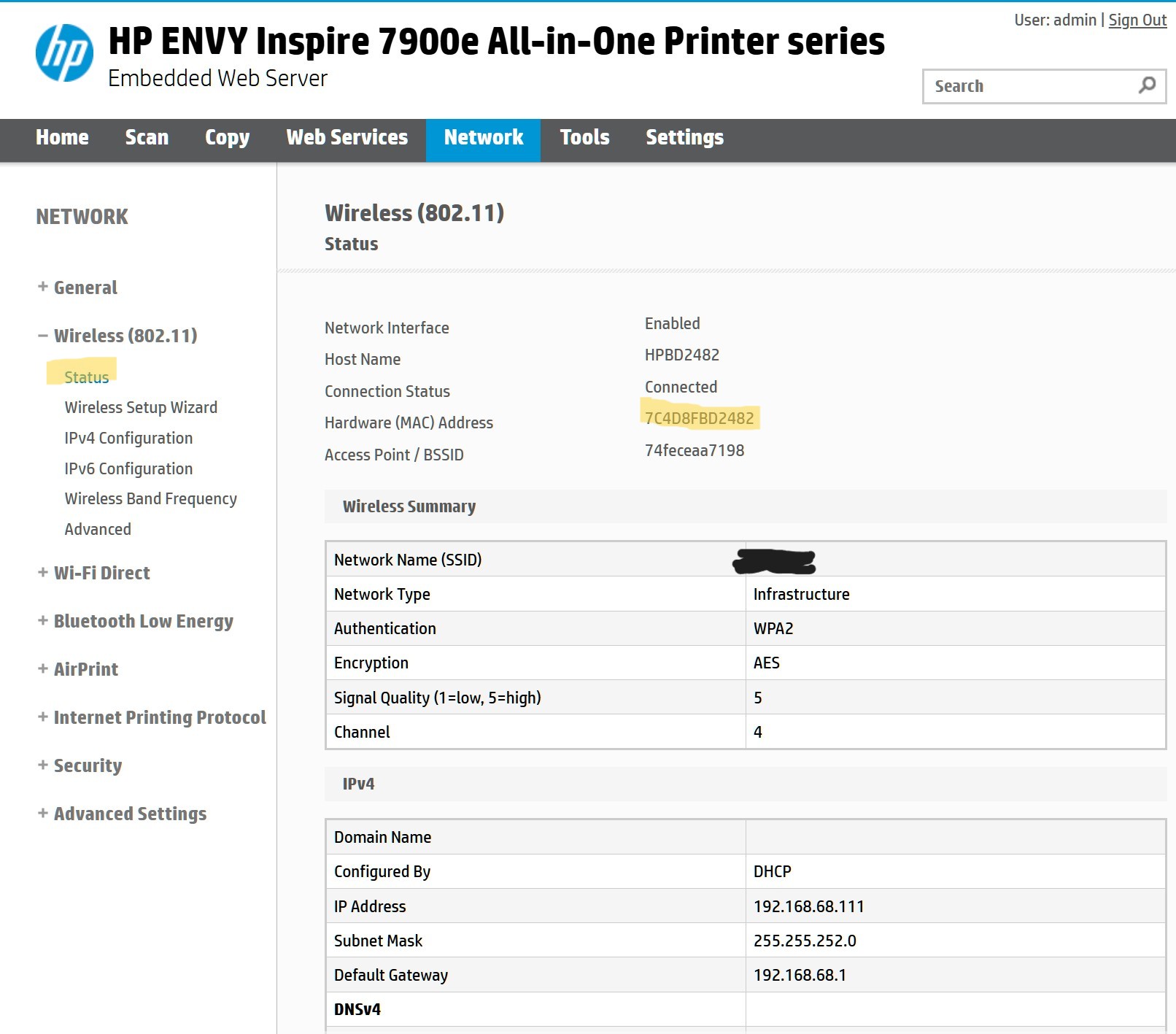
How to Configure Your HP Printer to Use a Static IP Address
If you prefer to know the IP address of your printer so you can connect to it using that IP address whether its via Wi-Fi or Ethernet, we will show you how to configure your HP printer to use a static IP address in this article.
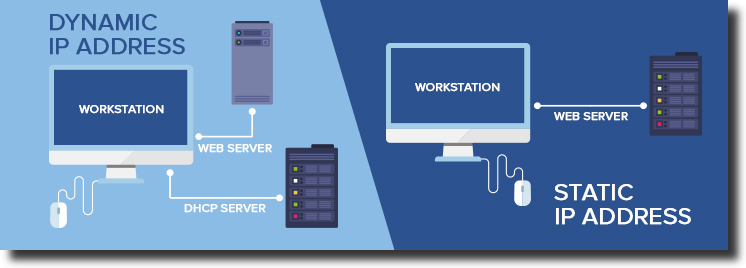
When you provide your printer a static IP address , it ensures that your computer always knows where to locate your printer . Static IP address won't change even if your device is...