How to Recover Deleted Text Messages on iPhone 88 Plus
After accidentally deleted text messages from your iPhone 8 or iPhone 8 Plus , now in a hurry to recover them to your device? This guide will show you how you can go about getting them back as soon as possible.
How to Restore Text Messages on iPhone 8 (Plus)
SMS messages disappeared on your iPhone 8 or iPhone 8 Plus ? Don't fret. Learn how to recover the lost messages easily on iPhone 8 using our step by step tutorial with screenshots.
Whether you have a backup or not, there are solutions for you to recover deleted text messages on your iPhone . Check the three methods below and apply one of them to retrieve messages on your iPhone within minutes.
How to retrieve deleted text messages on an iPhone
Accidentally delete messages on your iPhone ? Here are 5 ways to recover deleted text messages on an iPhone with or without backup.
Learn how to recover deleted text messages on iPhone with step-by-step methods, from iCloud backups to third-party tools.
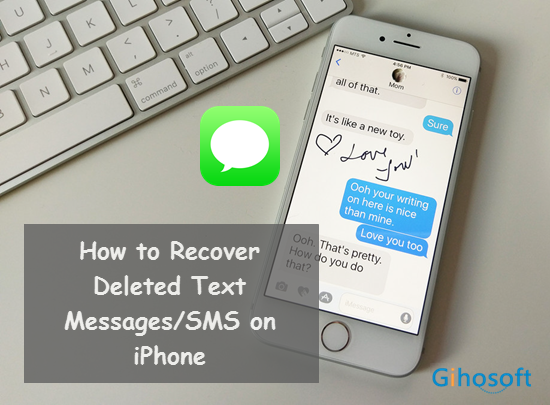
How to Recover Deleted Text Message on iPhones
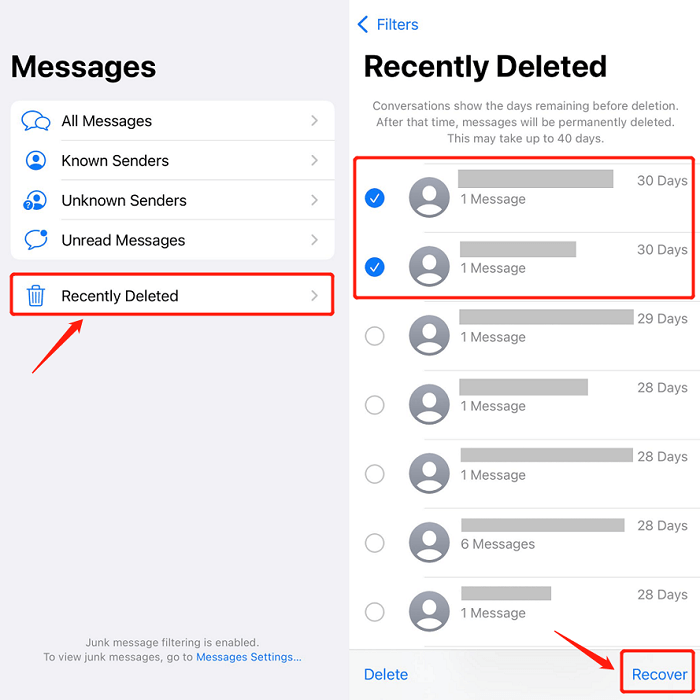
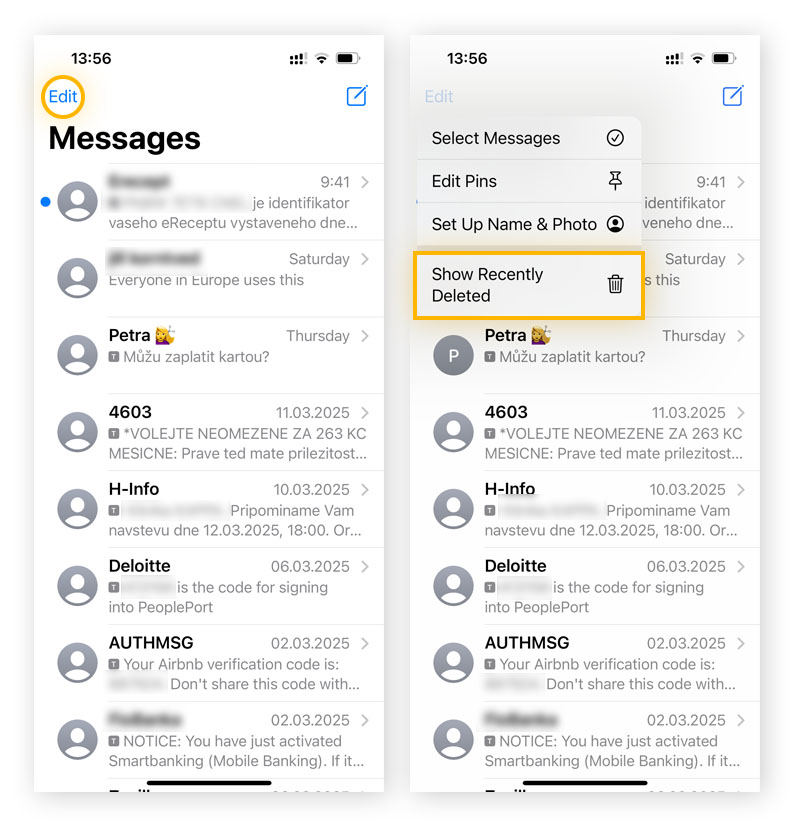
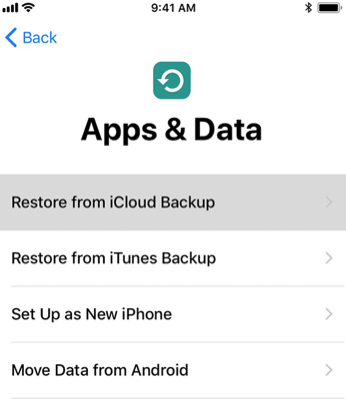
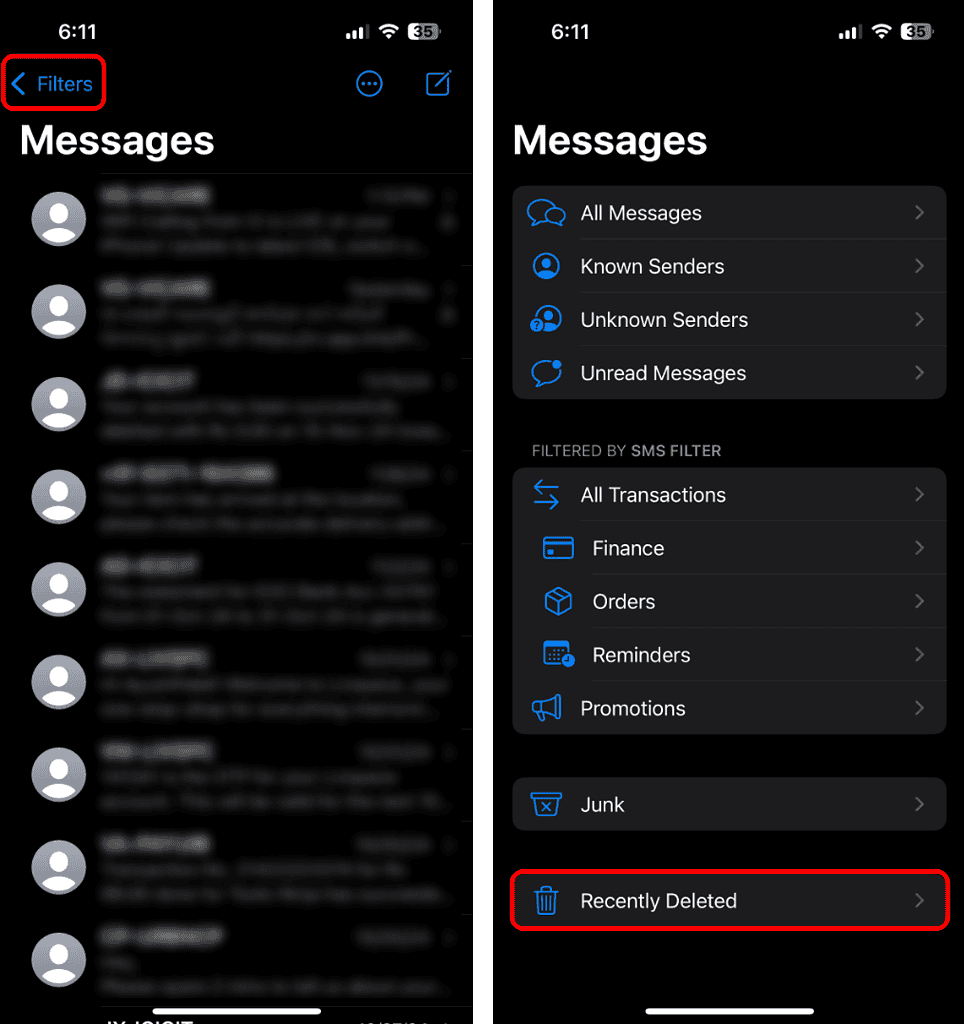
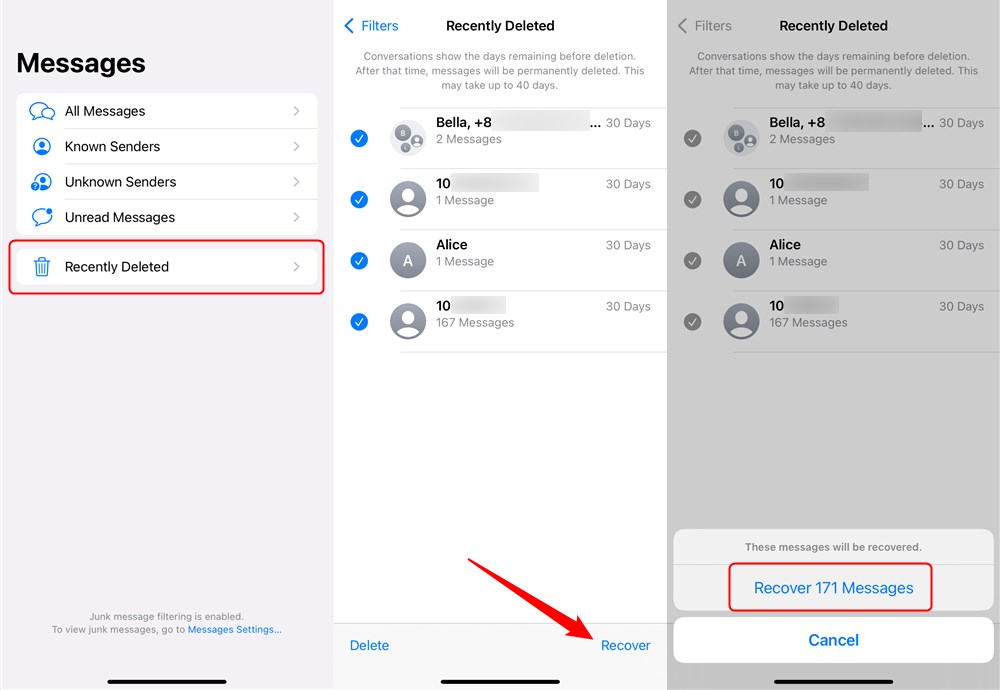
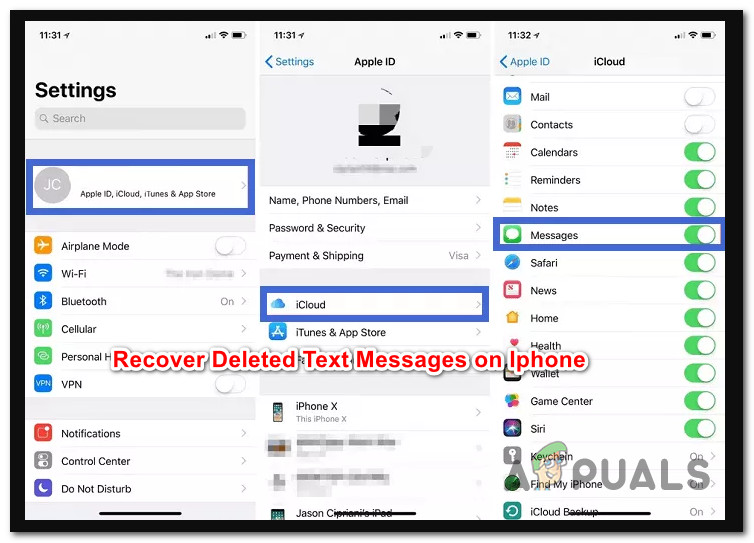
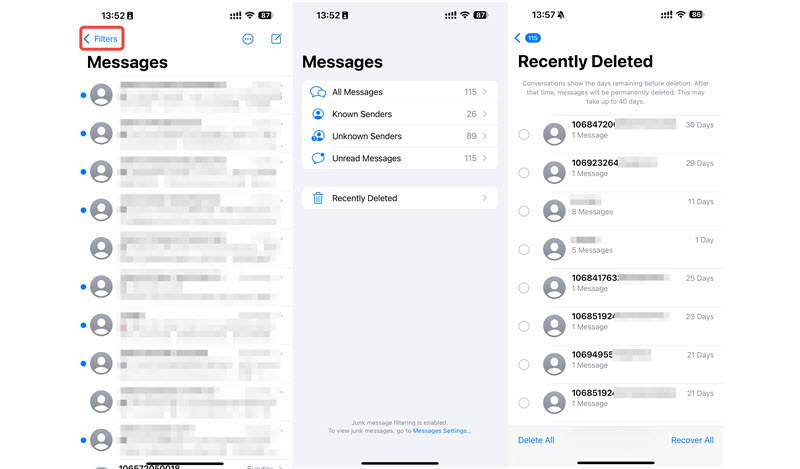
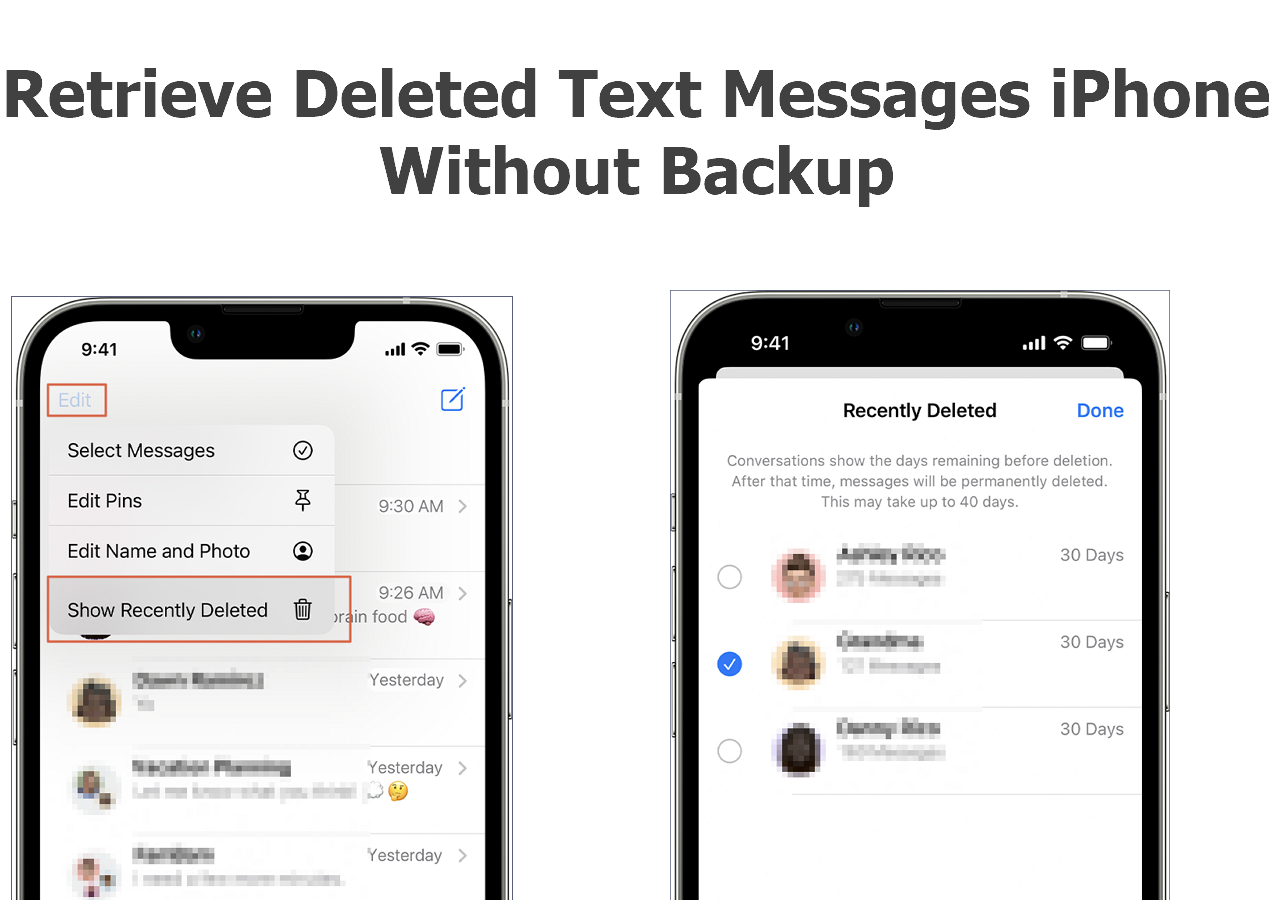
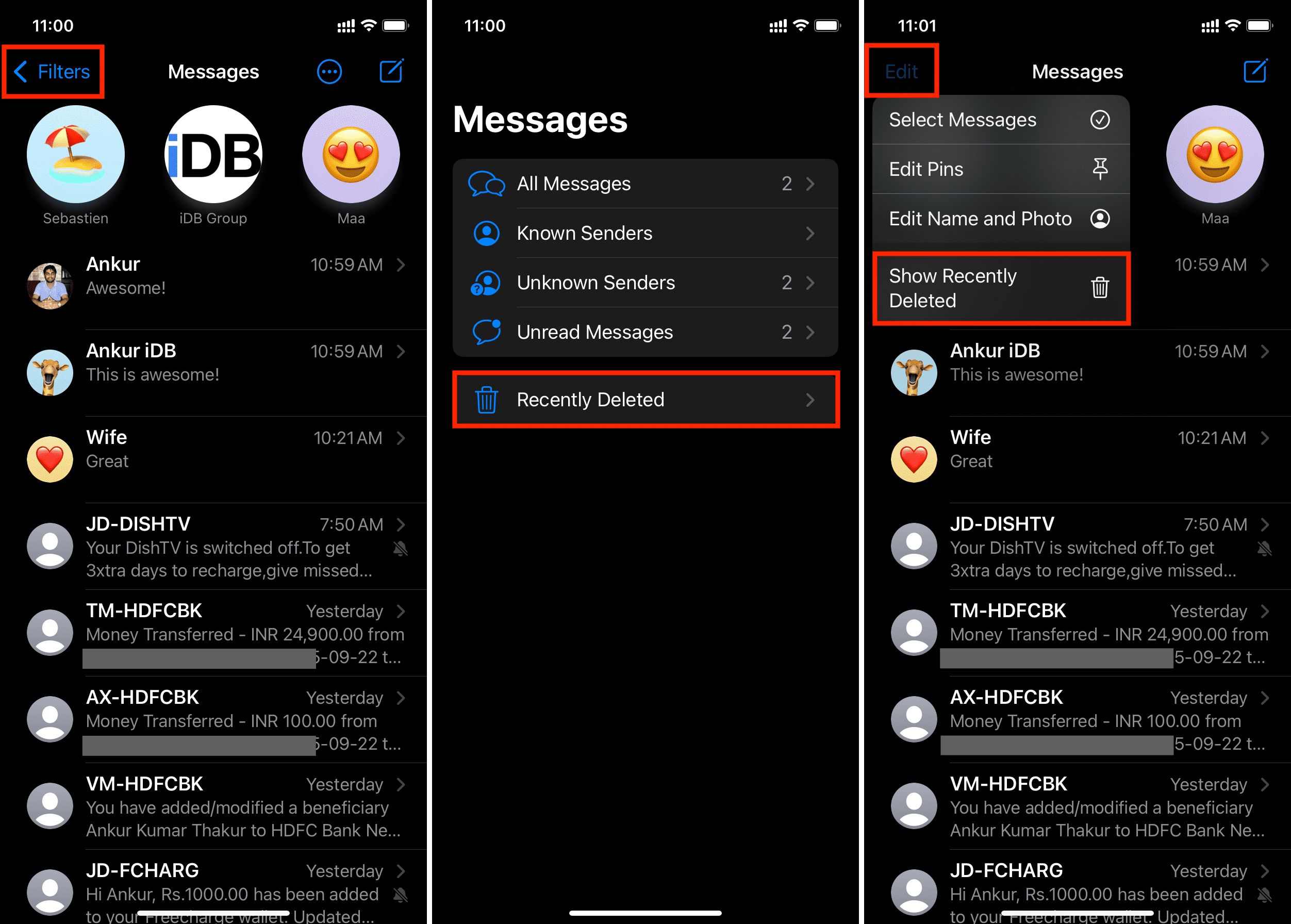
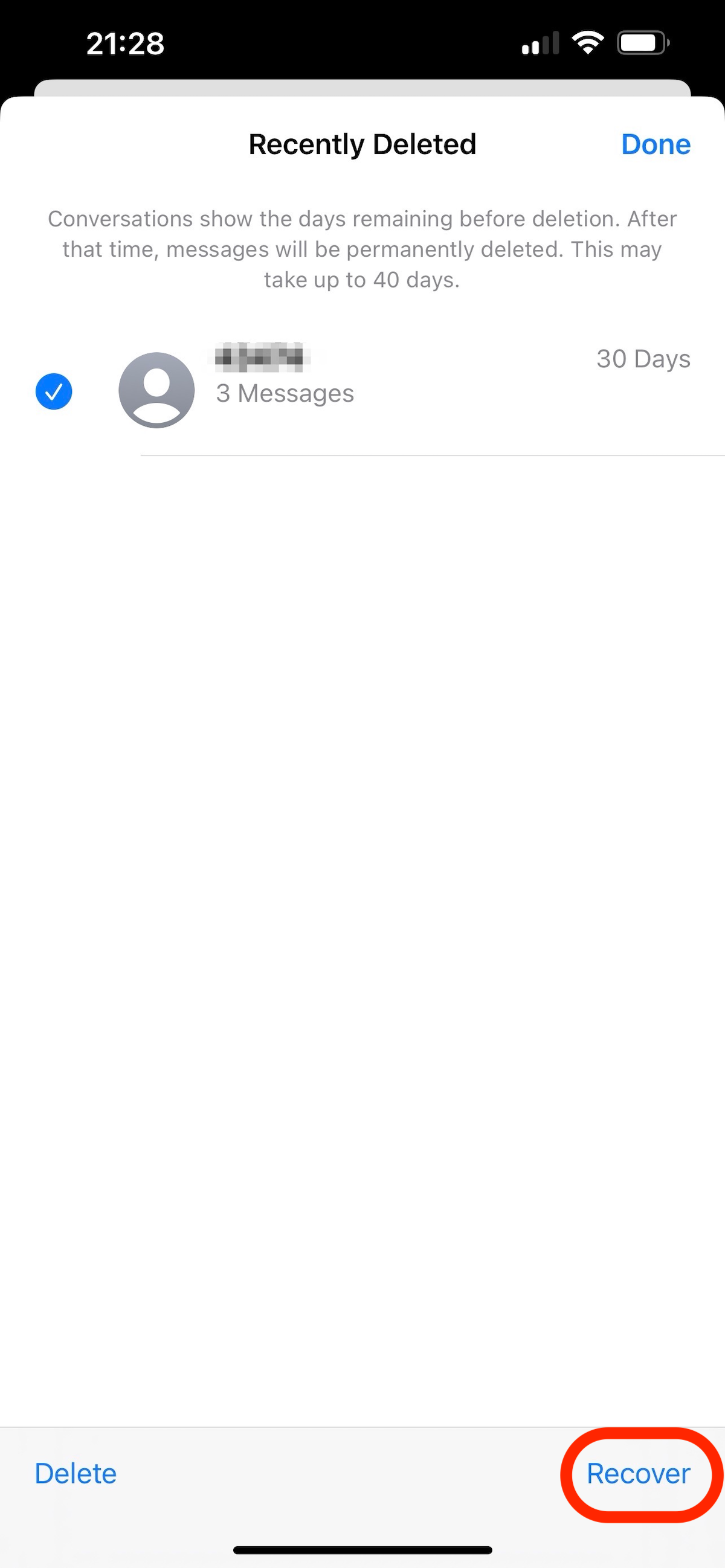
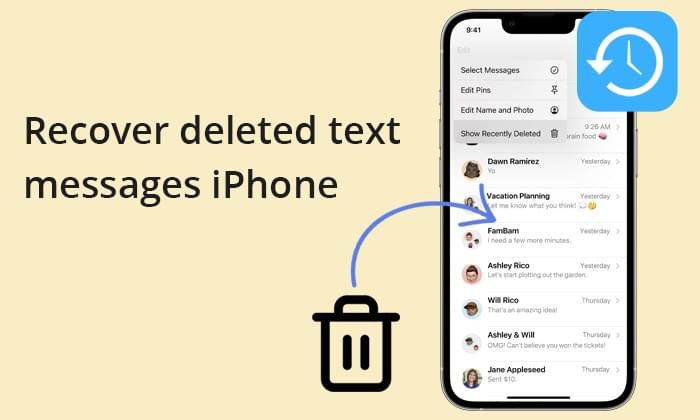
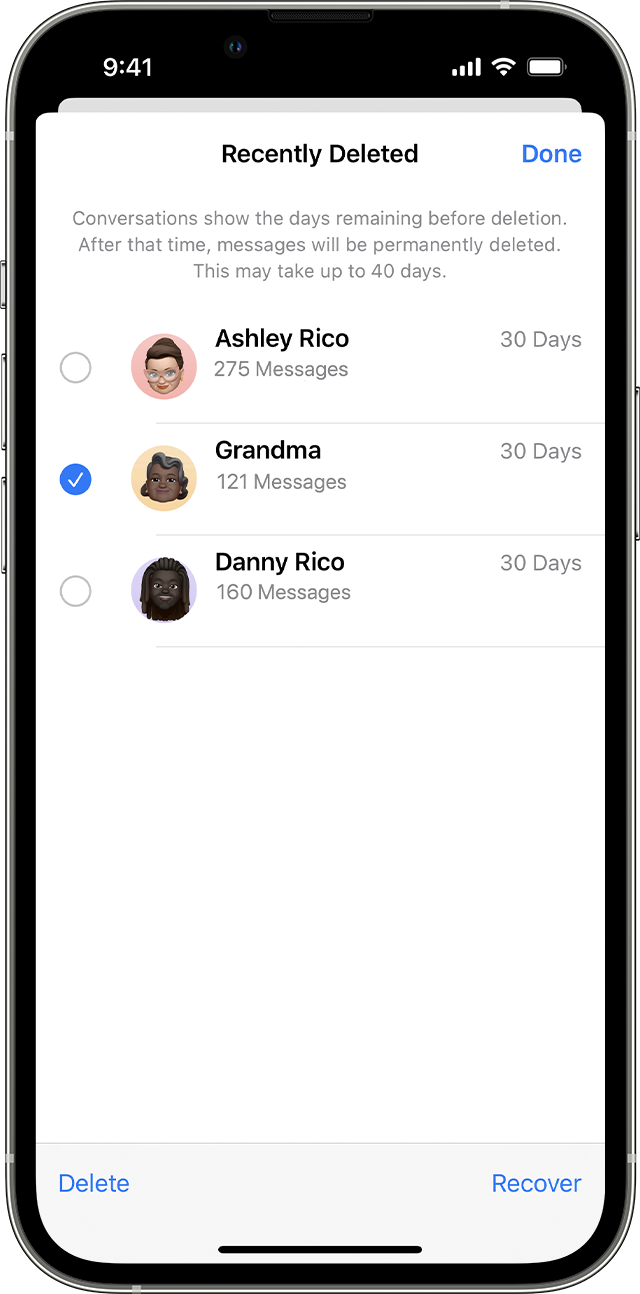
In iOS 16 and later, go to Filters screen in Messages > Recently Deleted > select a conversation > Recover or Recover All. To retrieve deleted messages on iPhone using iCloud, go to Settings, select your name, and choose iCloud. Using iTunes backup, open iTunes on a computer, select Preferences > General Preferences > Devices, and choose a backup.
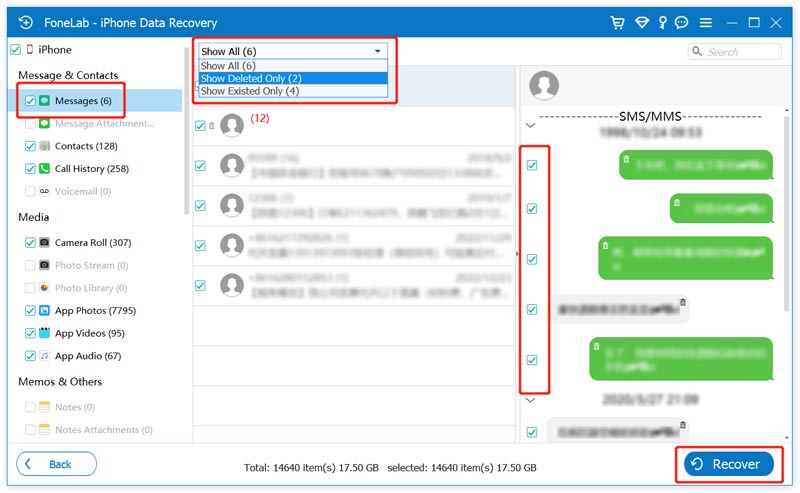
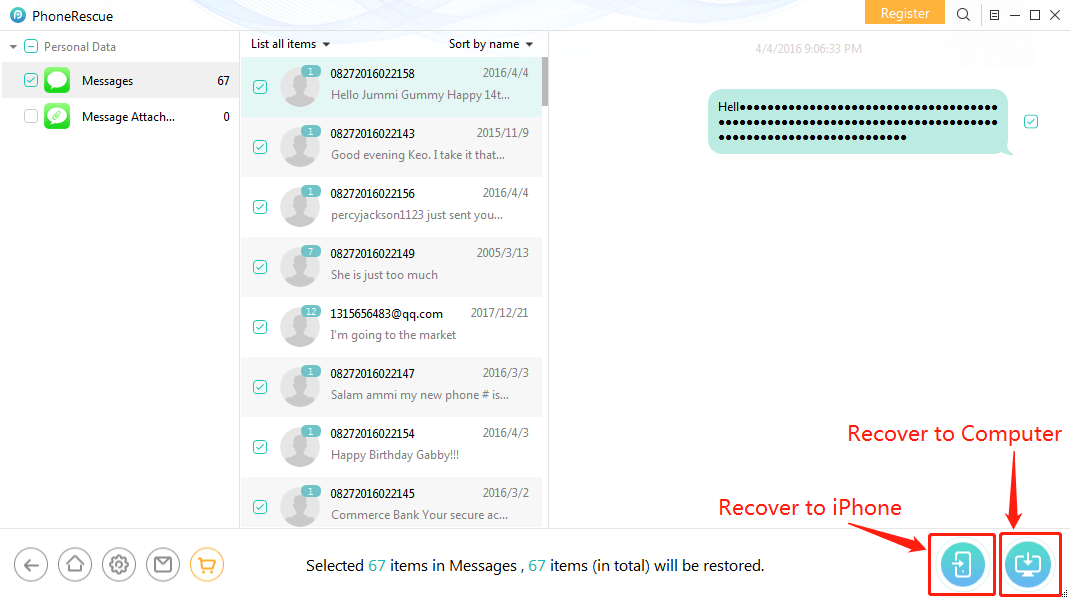
Recover lost iPhone data from device, iTunes, or iCloud without overwrite. Restore deleted photos, messages , contacts & WhatsApp chats easily.
Recover deleted messages in Messages on iPhone
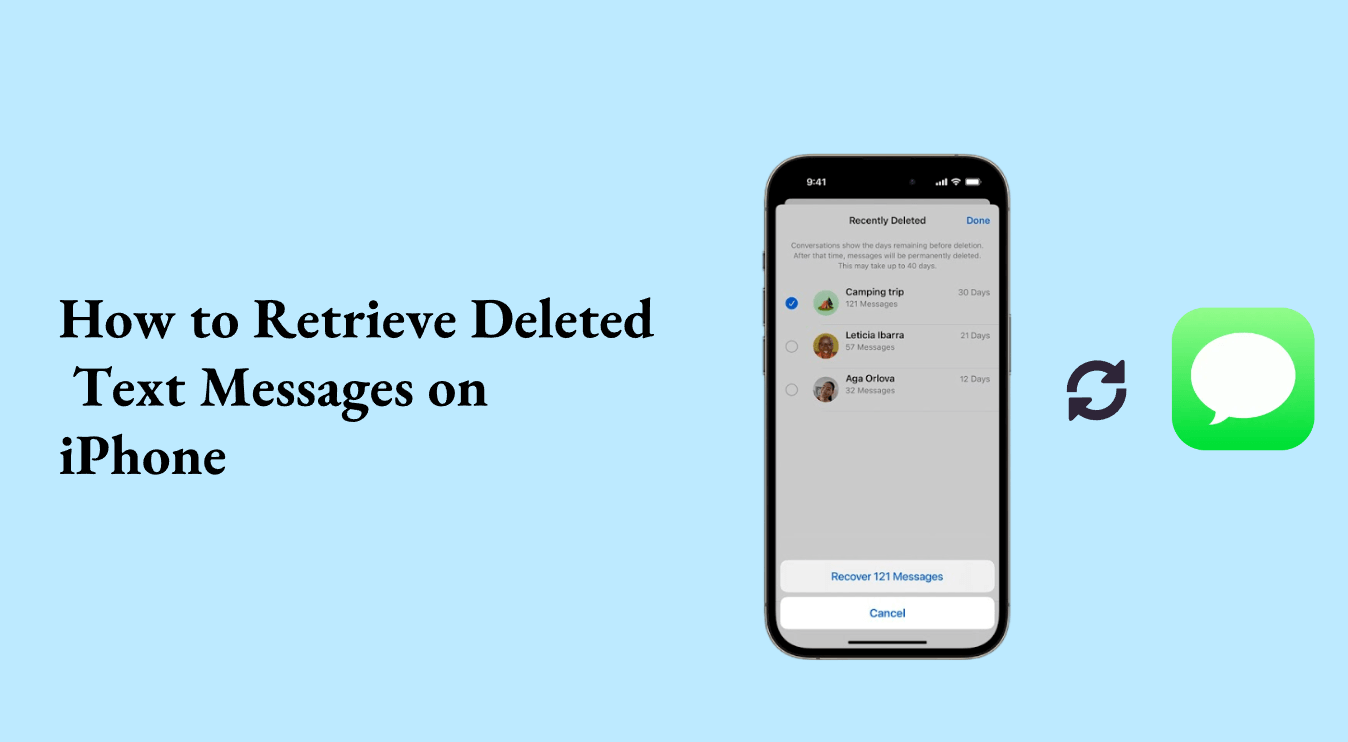
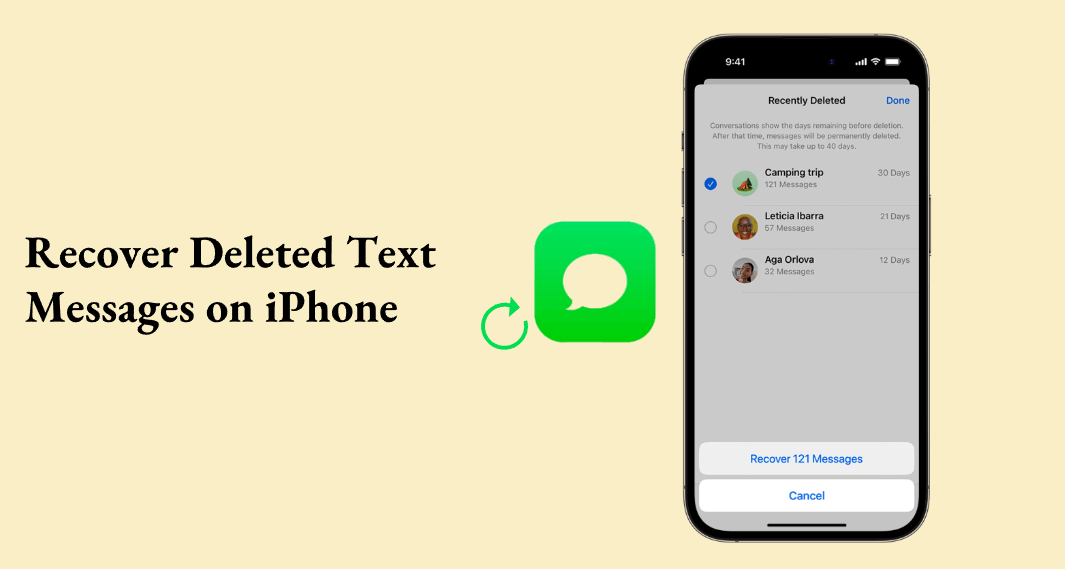
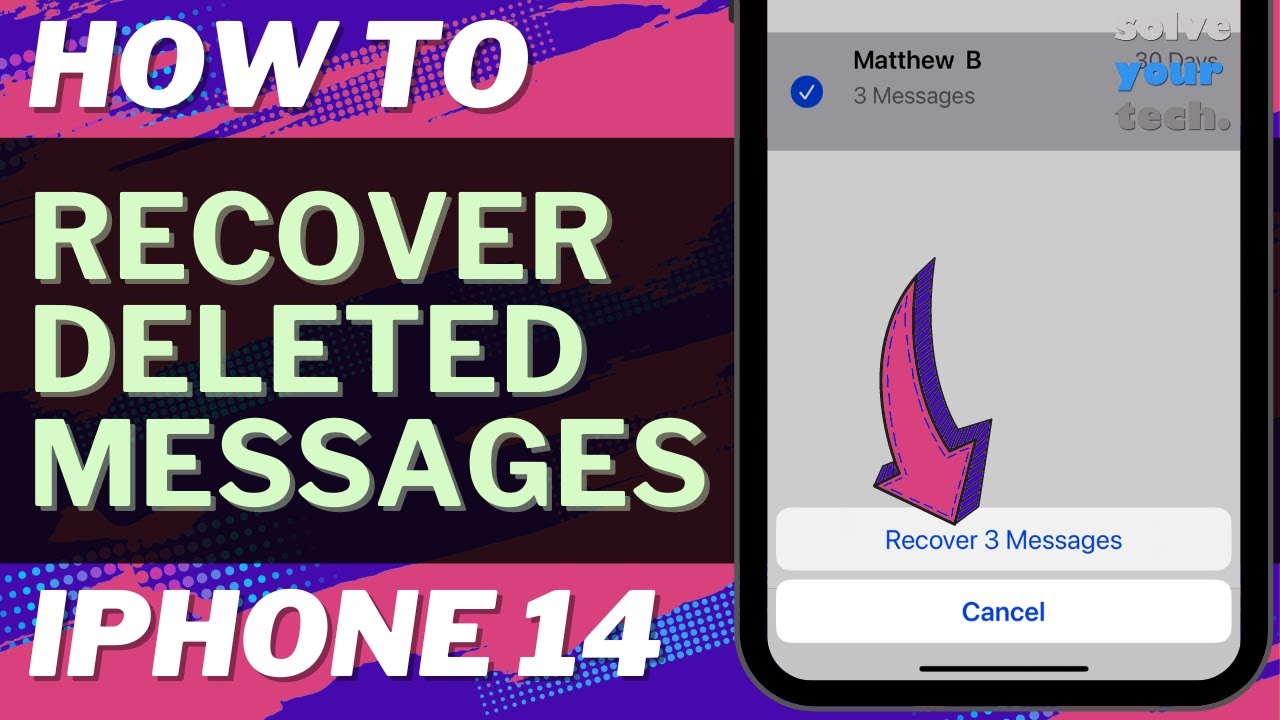
Go to the Messages app on your iPhone . Tap at the top of the conversation list, then tap Recently Deleted . Select the conversations whose messages you want to restore, then tap Recover . Tap Recover Messages .

Such details provide a deeper understanding and appreciation for Recover Deleted Text Messages On Iphone 8 Plus.
Did you lose important messages on your iPhone ? Here are five effective ways to retrieve deleted text messages on iPhone .
Wondershare Dr.Fone Official
Recover Deleted SMS, Texts , Photos, Contacts and Notes In Just 3 Steps. Learn More! Explore plans and choose the one that is right for you.
Additional Notes on Recover Deleted Text Messages On Iphone 8 Plus
Retrieve Deleted Text Messages on iPhone 8 (Plus) Without Backups. It gives the article a little more context before the image collection begins.
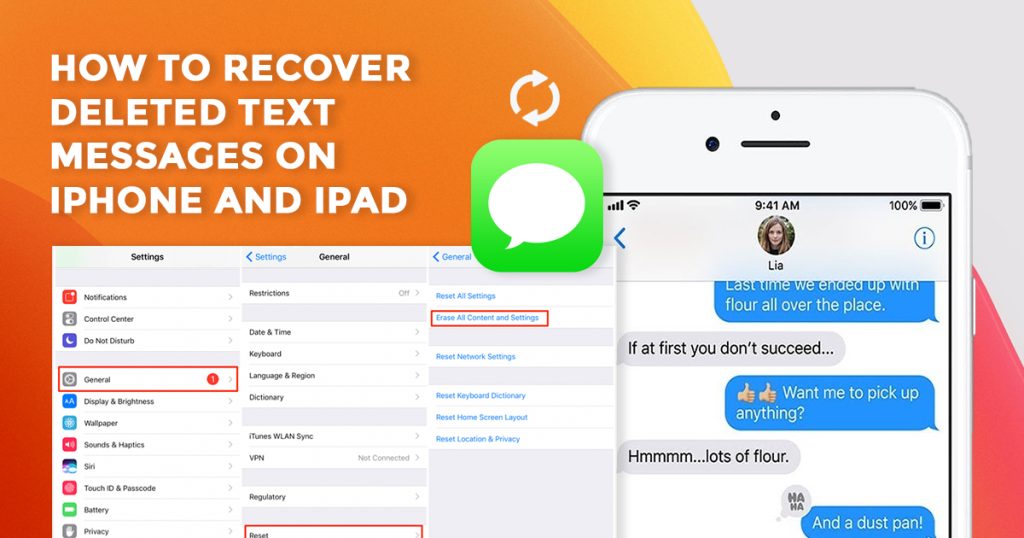
How to Recover Deleted Text Messages on iPhone?. This note connects the source idea with the visuals in a simple, reader-friendly way.
Recover Deleted Text messages from iPhone 8/X/11/12/13. The extra context helps the page feel more useful without forcing the same phrase repeatedly.