QoS for GlobalProtect
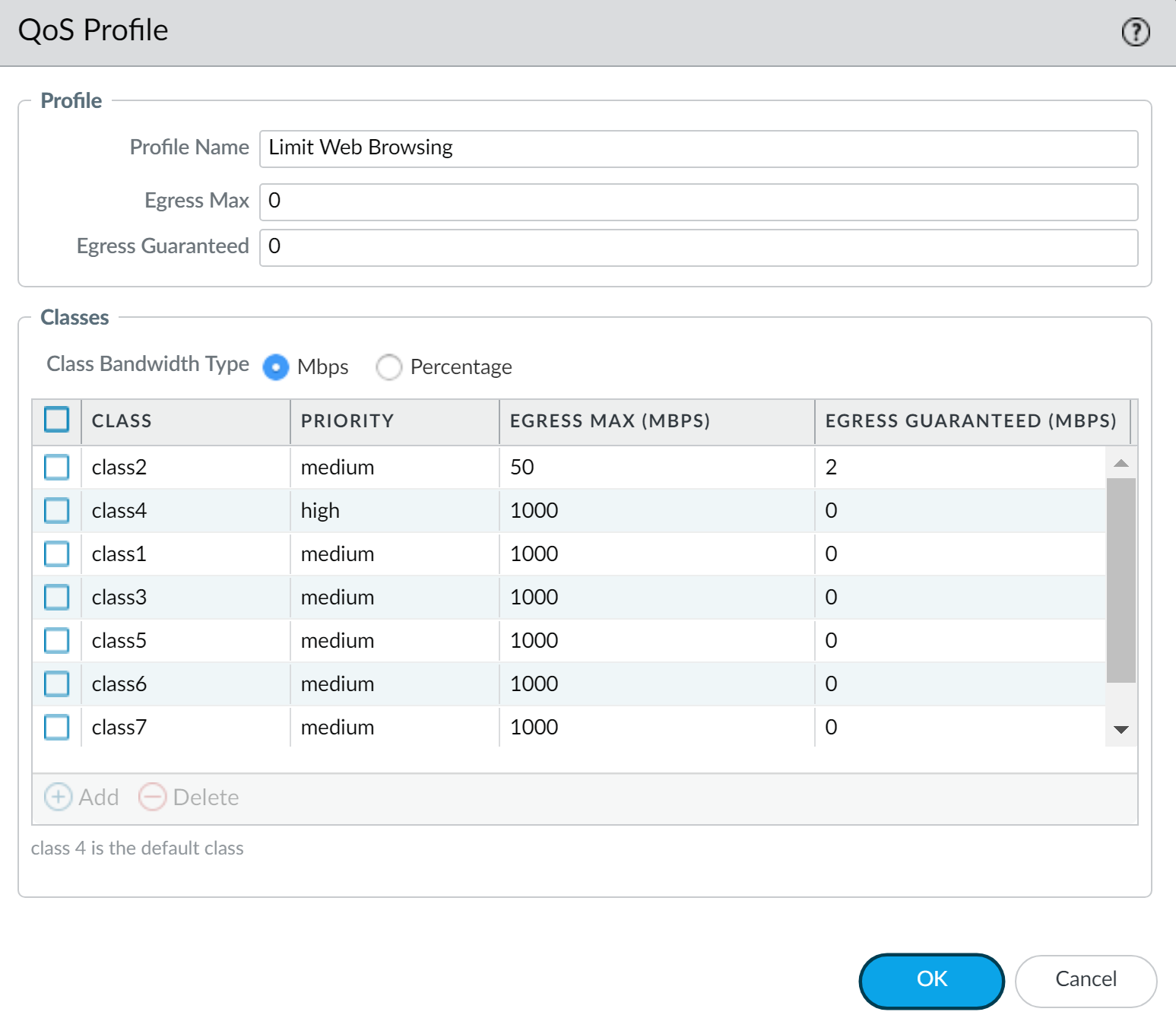
We have a 3220 active/passive pair running a GP portal and gateway. Traffic from GP client systems is full-tunneled due to our security requirements and we have plenty of bandwidth. We use a lot of VoIP and video conferencing, and we have QoS configured to prioritize this traffic as class1.
Step-by-step guide to configure GlobalProtect VPN on Palo Alto firewalls, covering loopback, certificates, SSL/TLS, authentication, tunnels, portals, and gateways.
GlobalProtect VPN Configuration Guide
GlobalProtect is a Palo Alto Networks program that establishes an encrypted SSL/IPsec VPN tunnel from devices like laptops and smartphones to a corporate network. It uses the same security policies as the corporate firewall to securely allow remote access to intranet resources from anywhere.
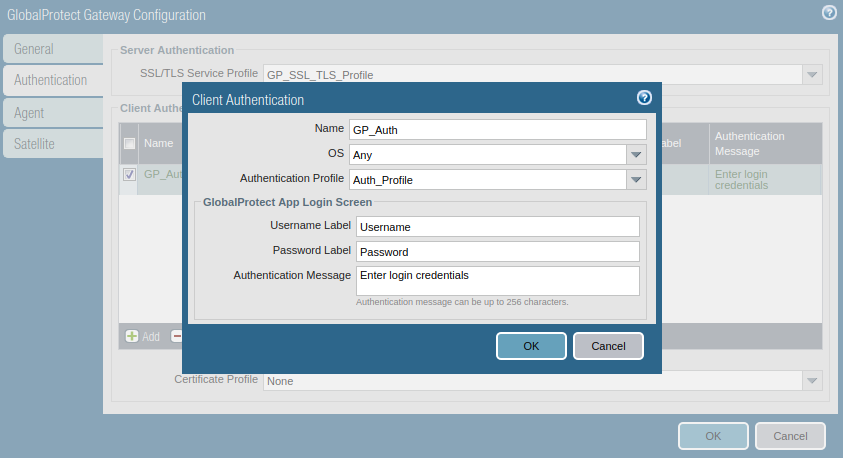
Obtaining and configuring a server certificate for the GlobalProtect portal The full configuration process involves 10 steps to set up the GlobalProtect gateway, portal, authentication, and client deployment.
How to Configure GlobalProtect VPN on Palo Alto Firewall
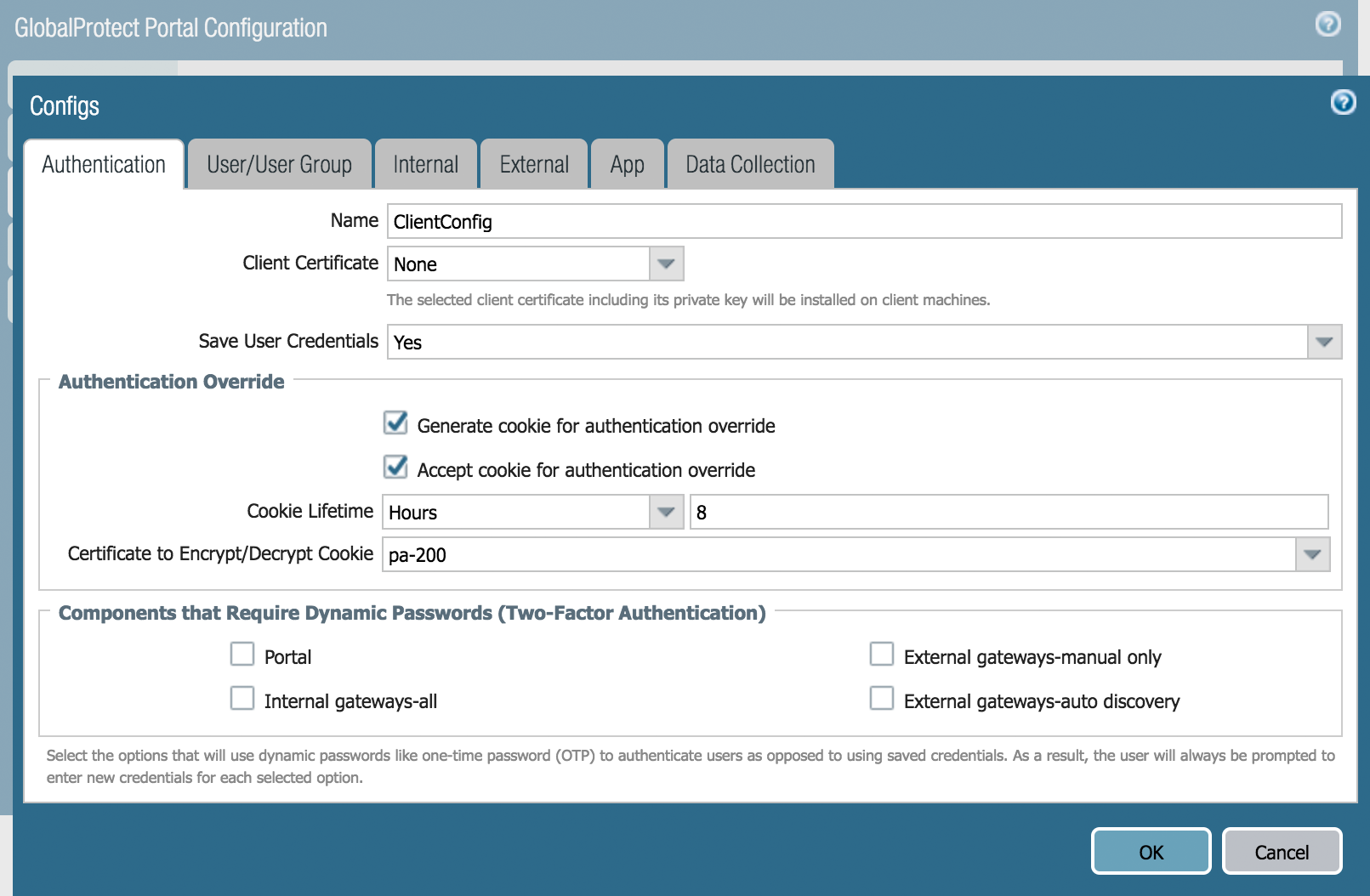
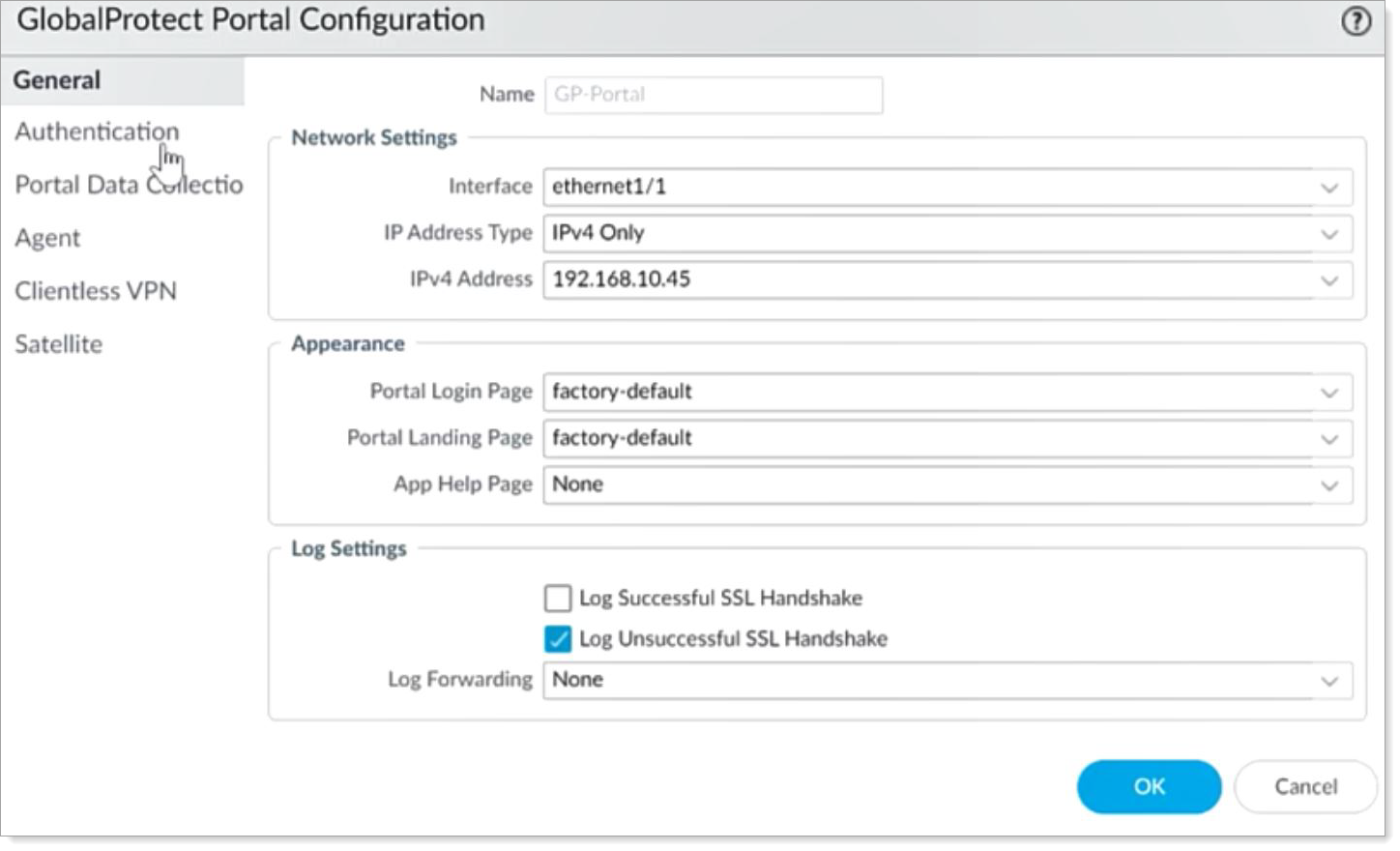
Furthermore, visual representations like the one above help us fully grasp the concept of Globalprotect Qos Configuration.
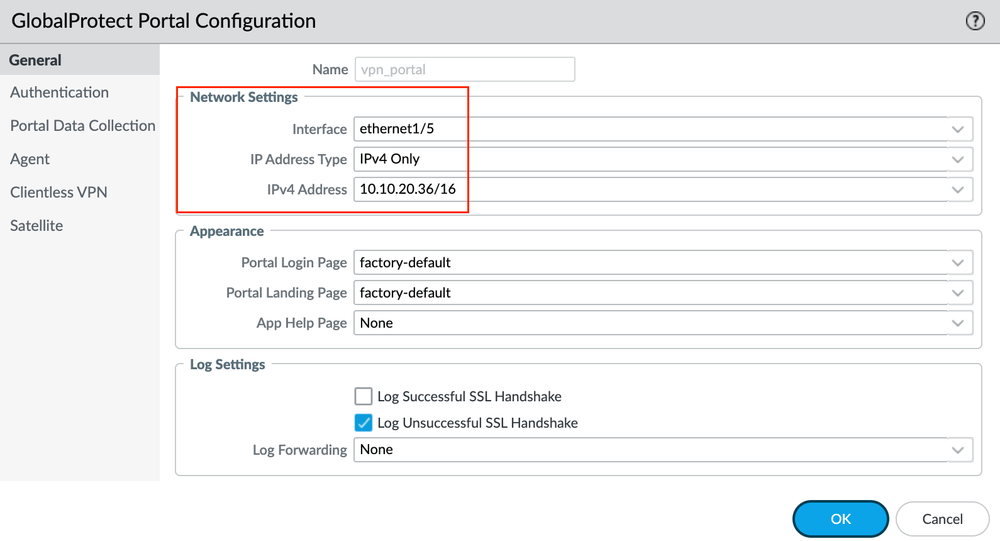
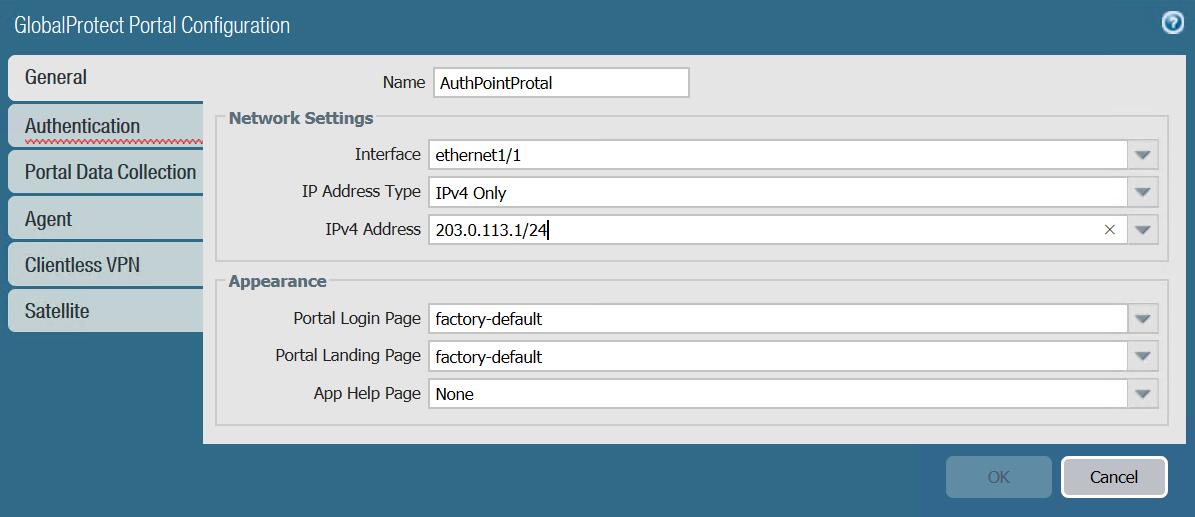
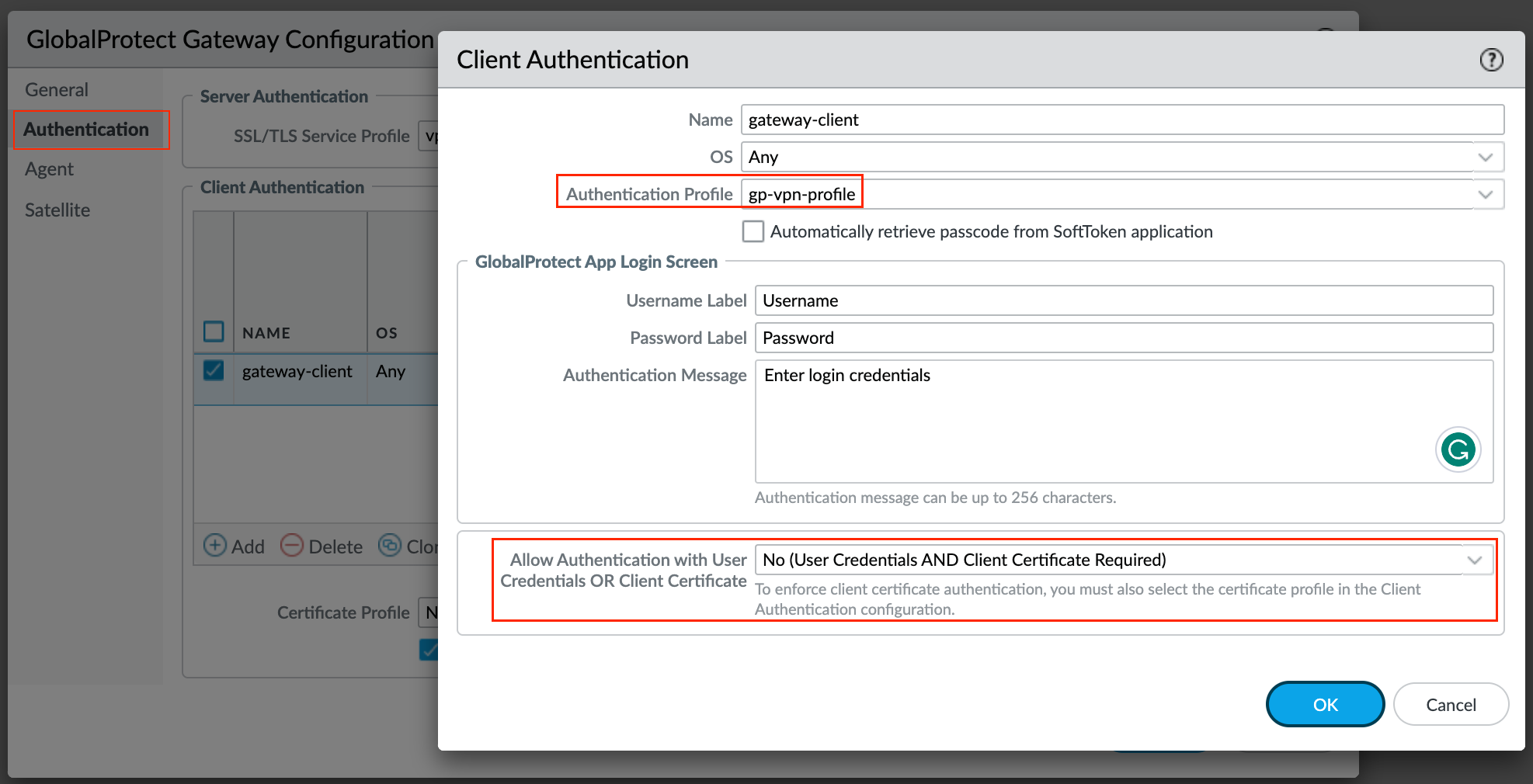
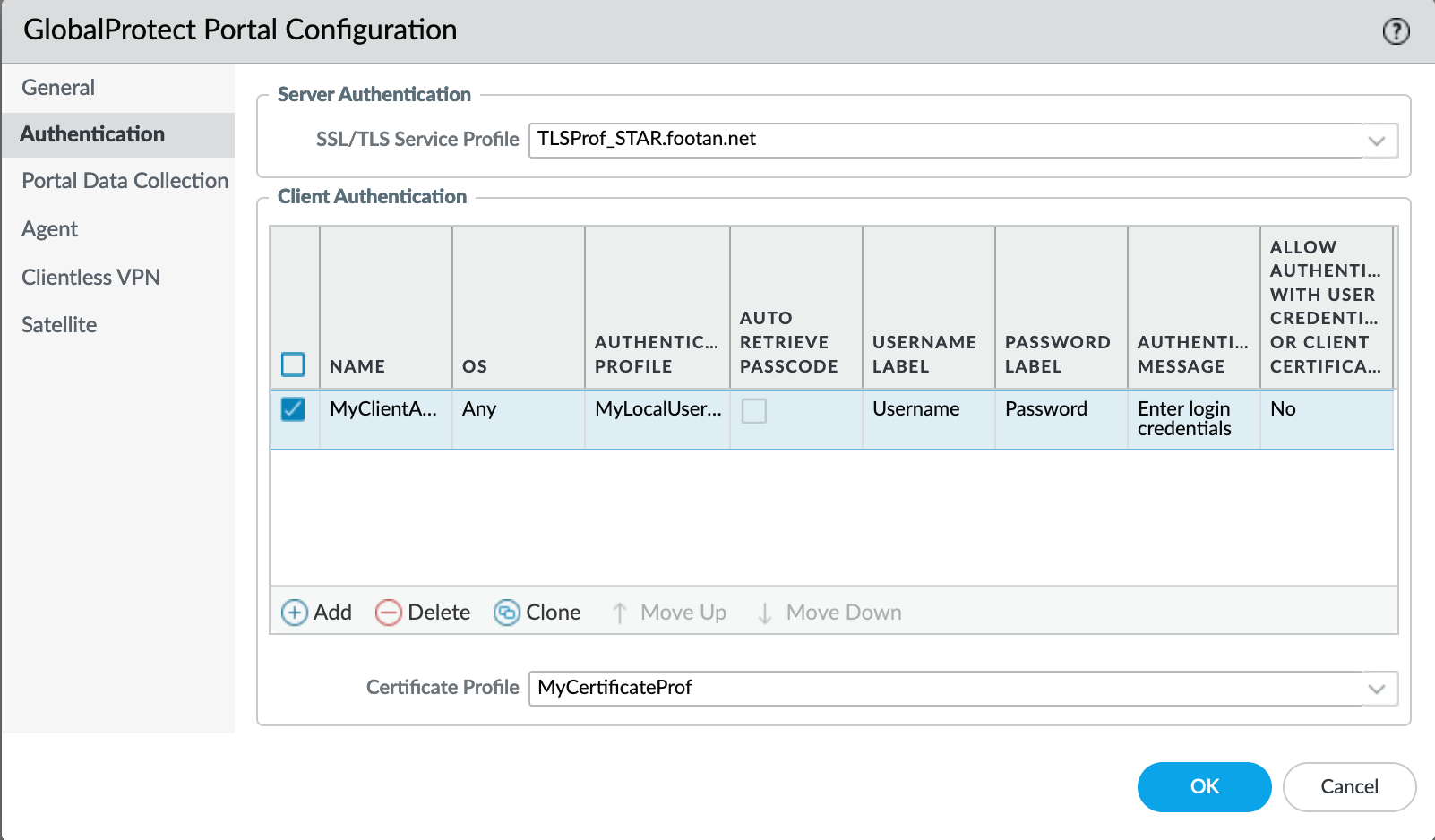
In this article, We'll configure GlobalProtect VPN in Palo Alto Firewall. If you are new to the Palo Alto Networks firewall, Don't worry, we will cover all basic to advanced configuration of GlobalProtect VPN.
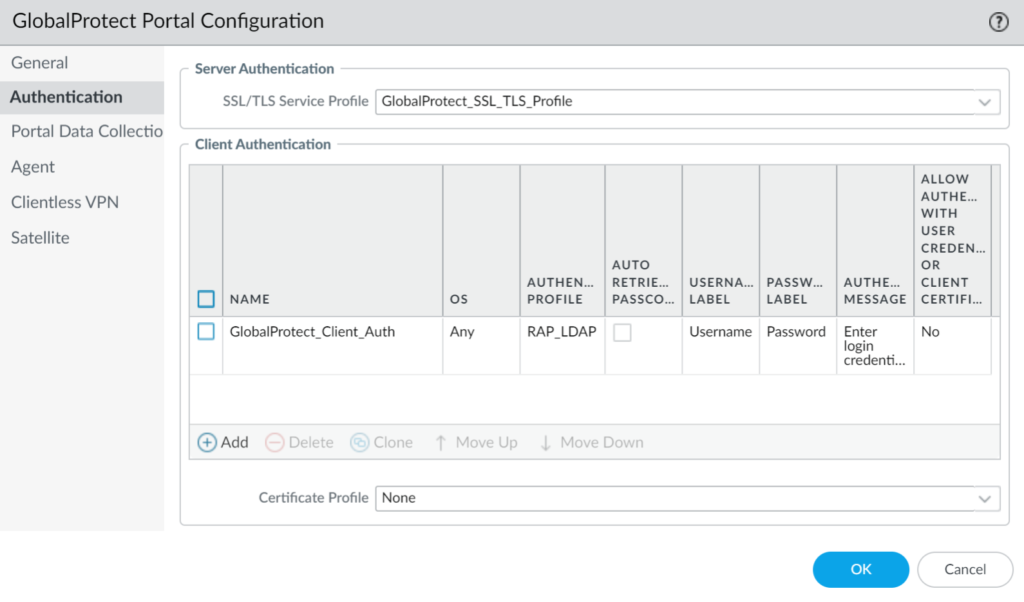
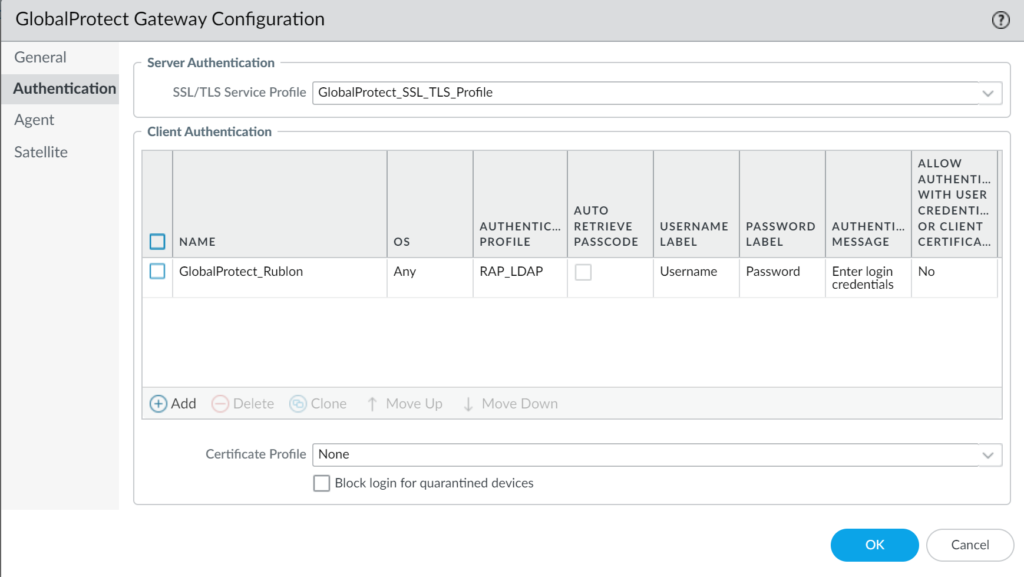
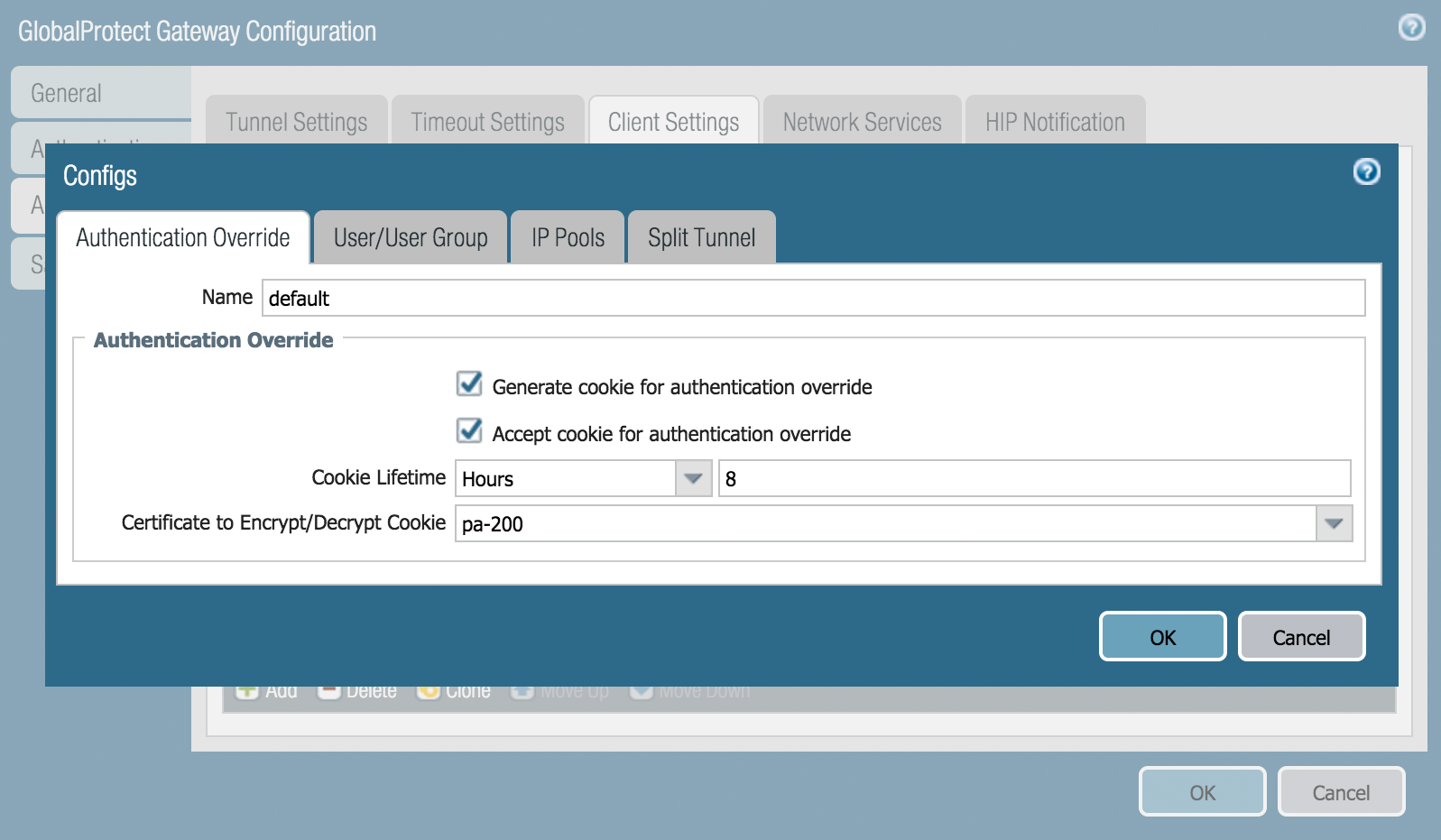
Comprehensive guide for configuring and maintaining your GlobalProtect infrastructure, including SSL setup, user authentication, gateway & portal configuration , and client deployment.
GlobalProtect Quick Configs
As we can see from the illustration, Globalprotect Qos Configuration has many fascinating aspects to explore.
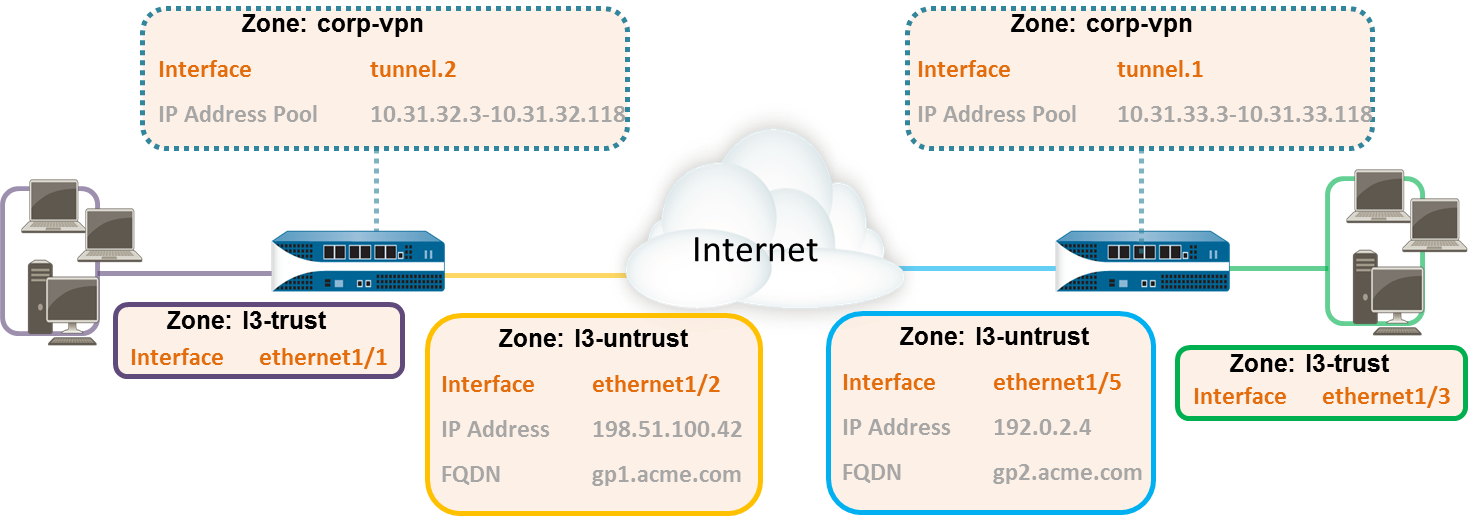
The following sections provide step-by-step instructions for configuring some common GlobalProtect ™ deployments:
Learn how to create QoS profiles, policies, and enable QoS on interfaces to manage network traffic, prioritize critical applications, and optimize bandwidth usage.
Palo Alto Global Protect VPN Configuration Example
More Context About Globalprotect Qos Configuration
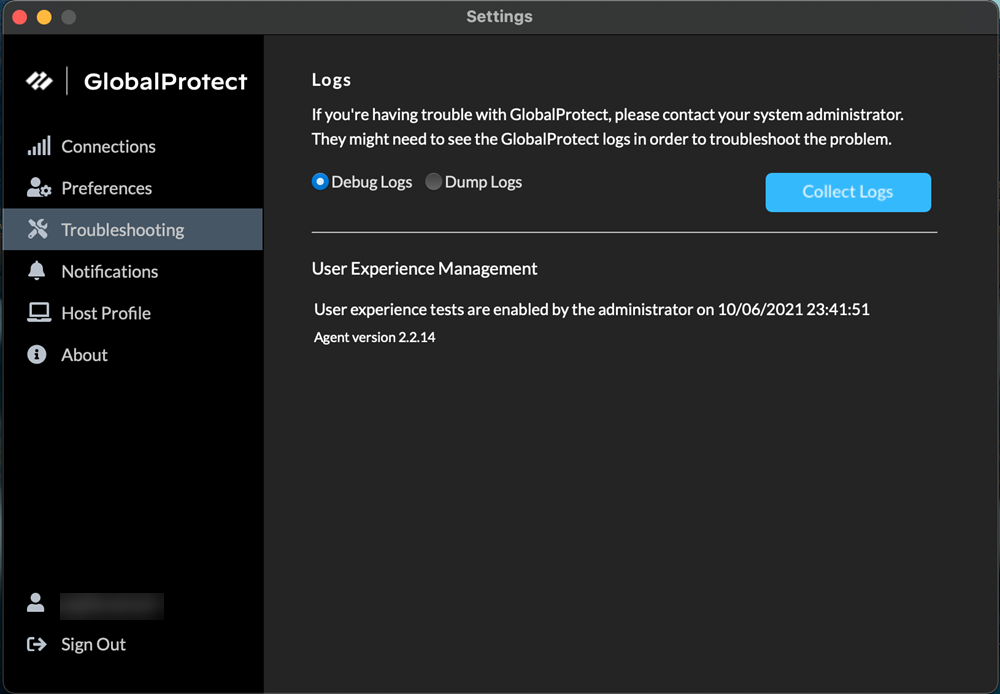
Use the GlobalProtect App for macOS. For Globalprotect Qos Configuration, this point helps readers notice the most relevant visual details before moving into the gallery.
Screen Shot 2016-04-04 at 4.50.11 pm.png. It works as a short bridge between the article summary and the gallery section.
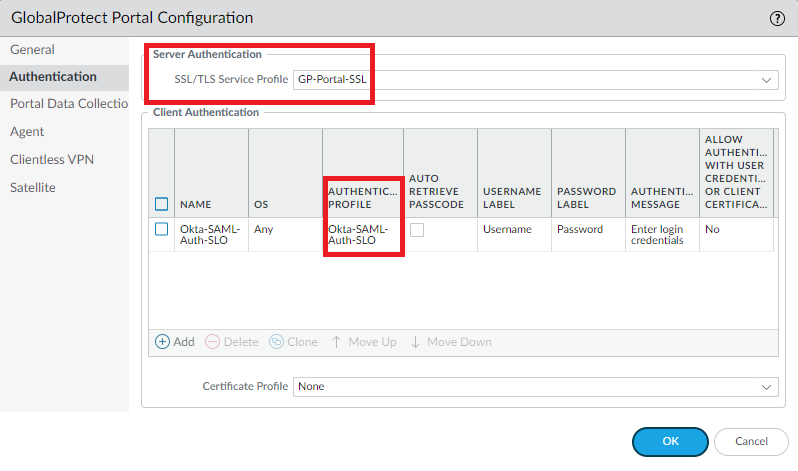
How to configure SAML Authentication for Palo Alto GlobalProtect with. The extra context helps the page feel more useful without forcing the same phrase repeatedly.
Looking at multiple sources also helps separate the main idea from small decorative details.
These notes are added so the page offers more than images and gives each visitor a clearer reason to keep reading.