How do I configure Dynamic DNS on my router
Read Answer How do I enable remote management for my router ? Read Answer How do I login to my router ? Read Answer How do I open ports for routers ? Read Answer How do I set up and secure my wireless connection ? Read Answer How do I set up website filter on my router ? Read Answer How many simultaneous users can my Wi-Fi network handle ? Read Answer
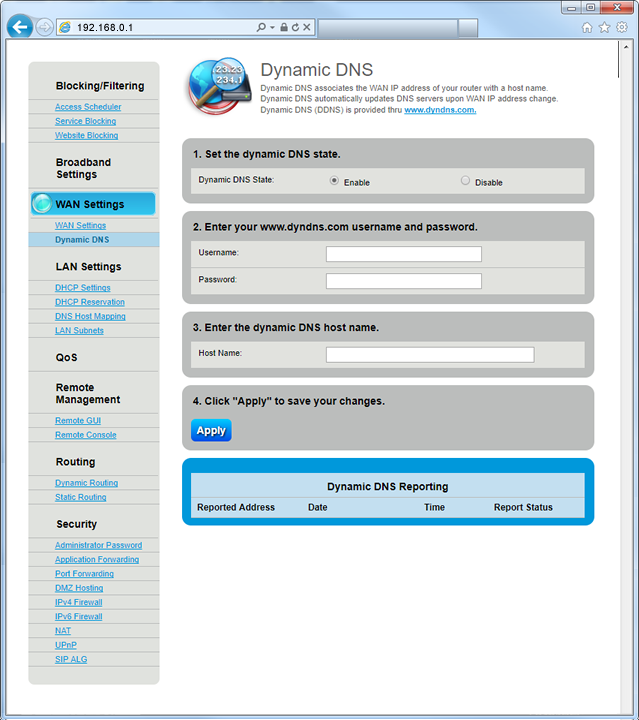
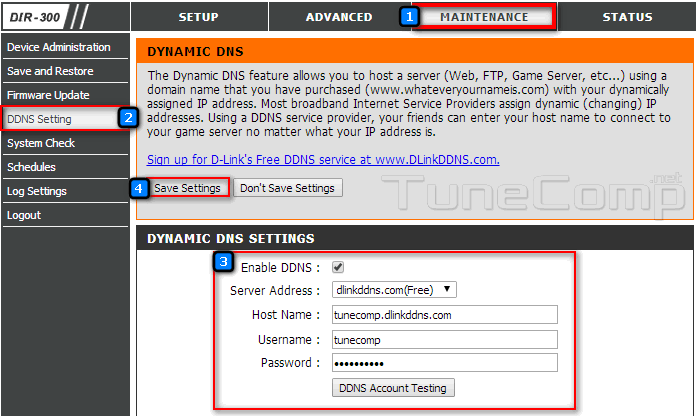
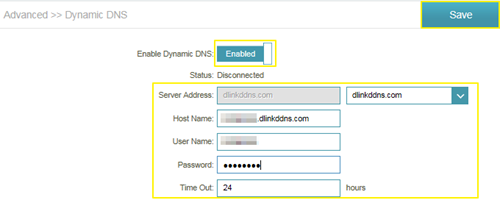
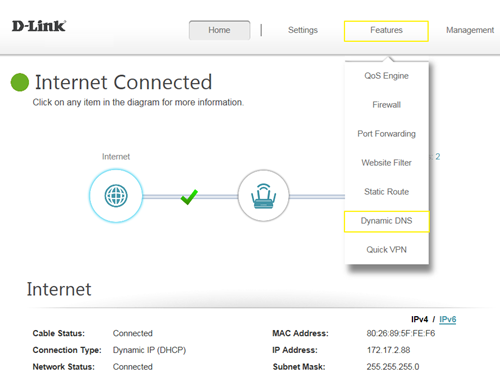
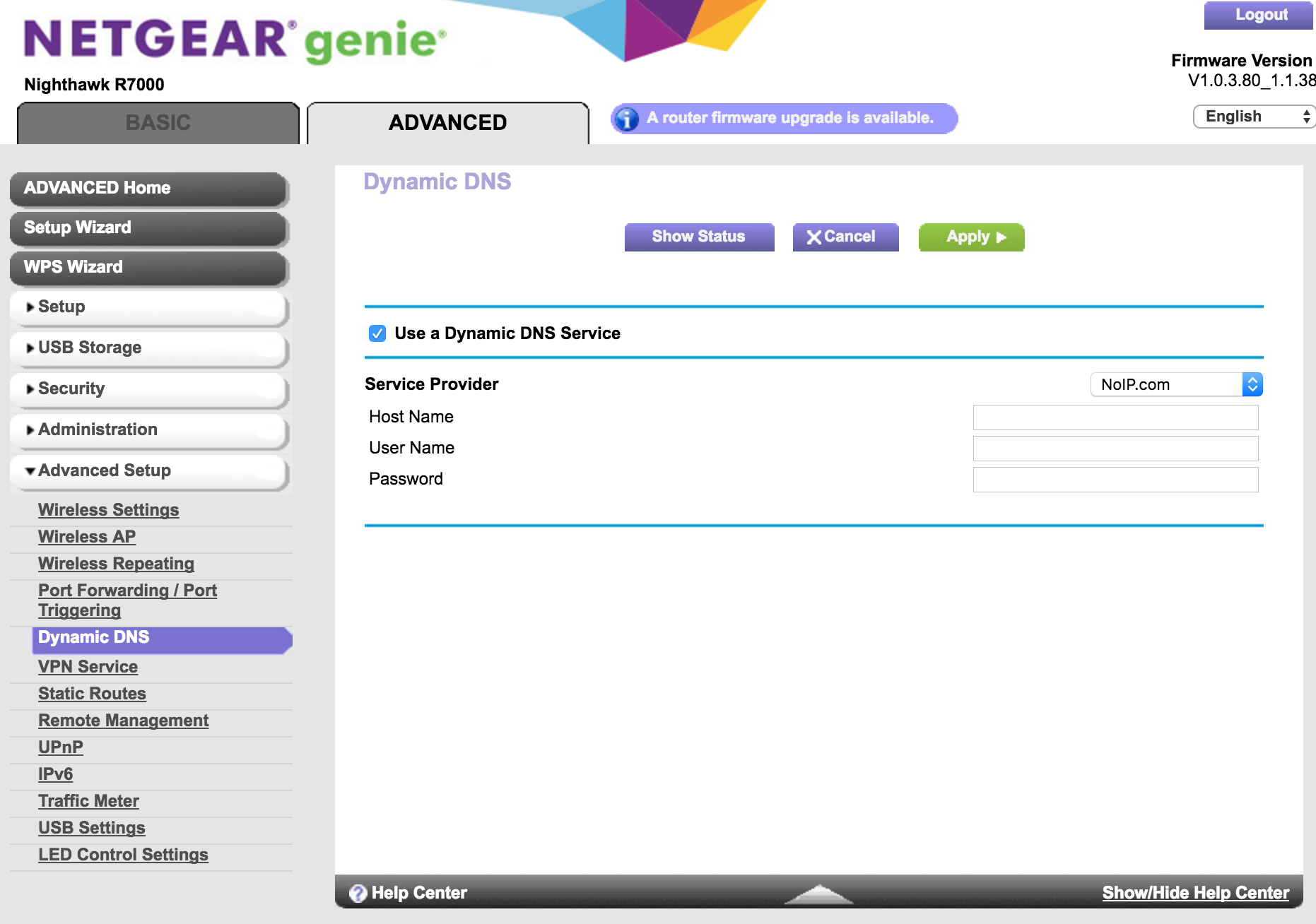
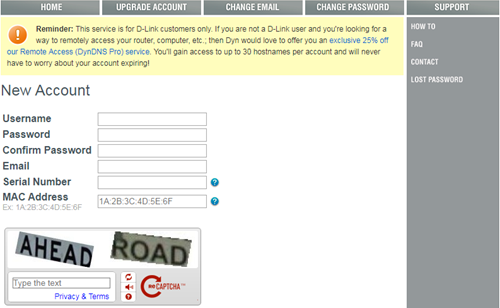
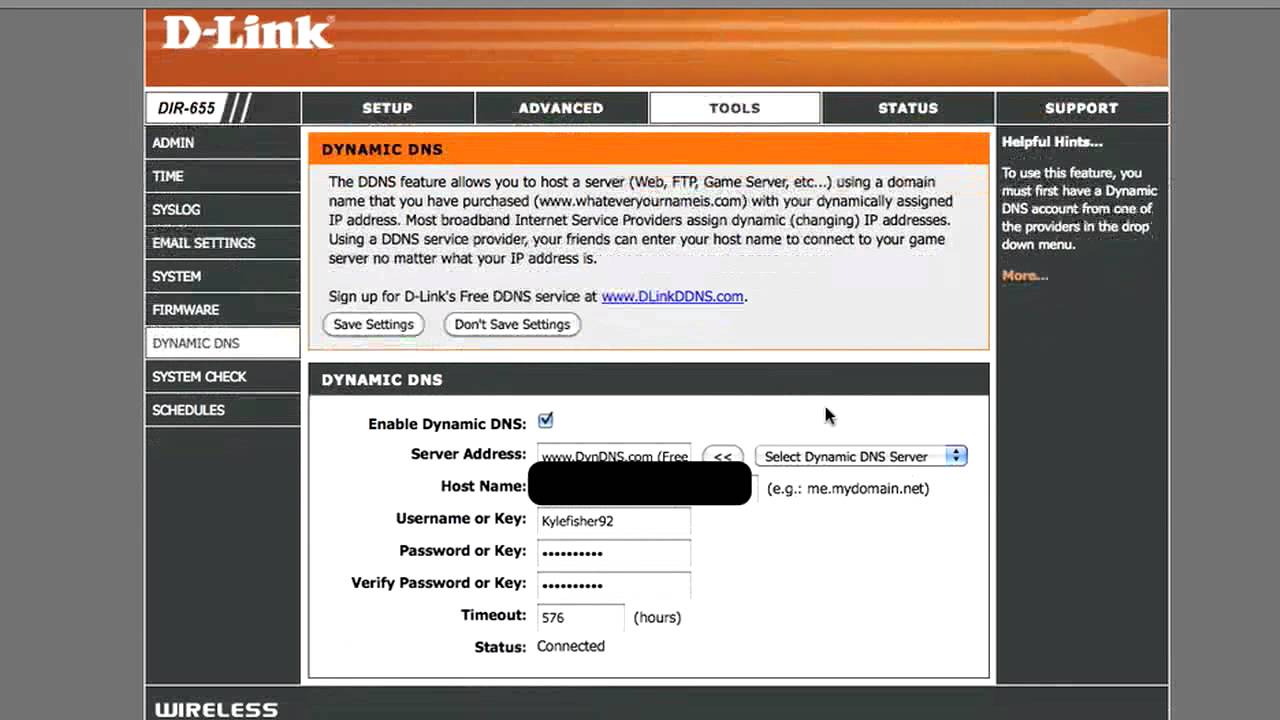
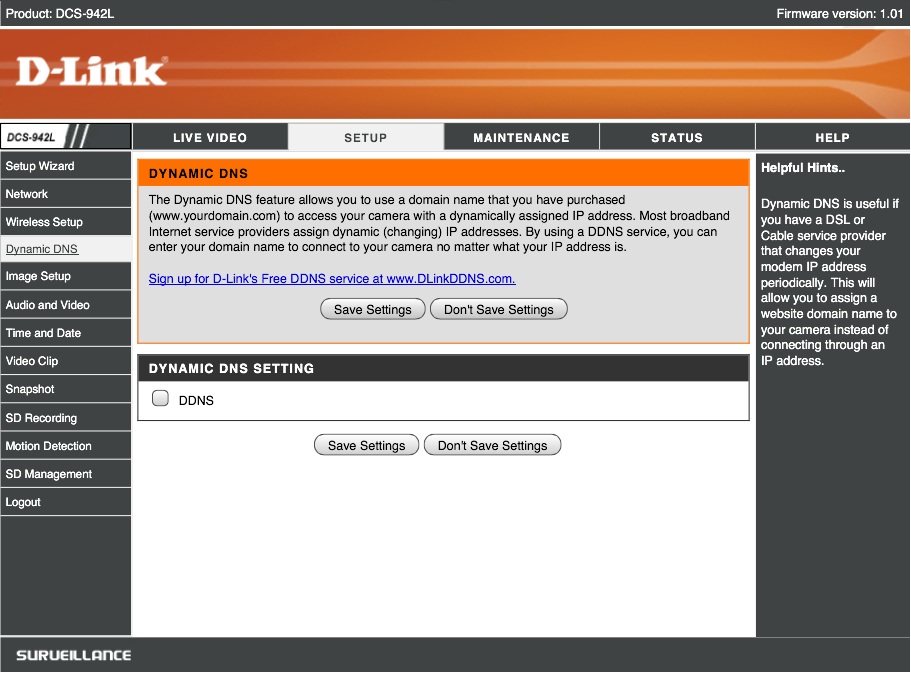
How do I configure Dynamic DNS on my DIR Series router ? Step 1: Create a DDNS account (username and password). Step 2: Log into the router by typing the router IP on the address bar. Step 3: Click on Tools and select Dynamic DNS from the left pannel.
Configuring a D

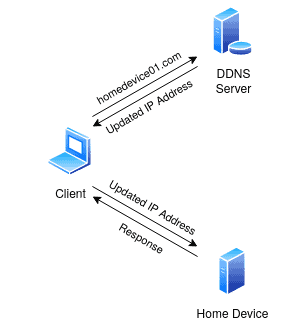
This guide will provide straightforward steps to configure DDNS settings on your D-Link router . What is Dynamic DNS ? Dynamic DNS is a service that automatically updates the name servers in the Domain Name System whenever the IP address of a host changes.
Conclusion Setting up Dynamic DNS on your D-Link router can greatly enhance your ability to access your home network remotely. By following these steps, you should be able to successfully configure DDNS and link your dynamic IP address to a user-friendly hostname.
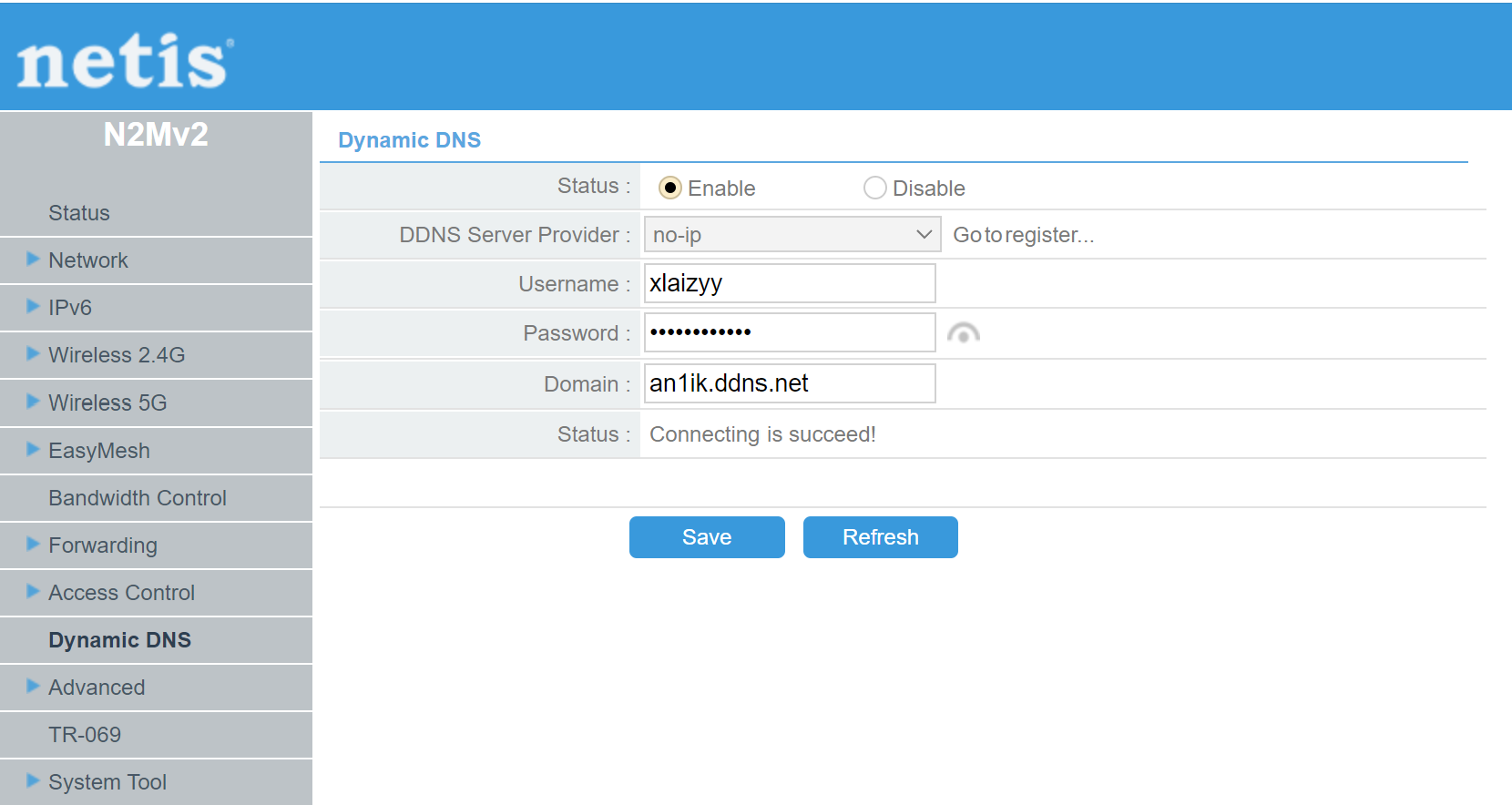
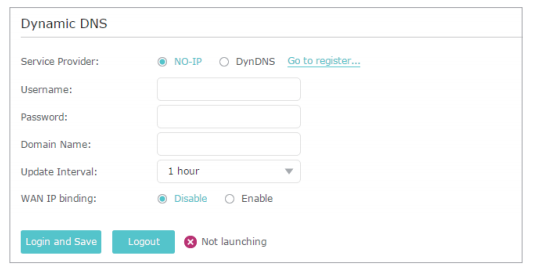
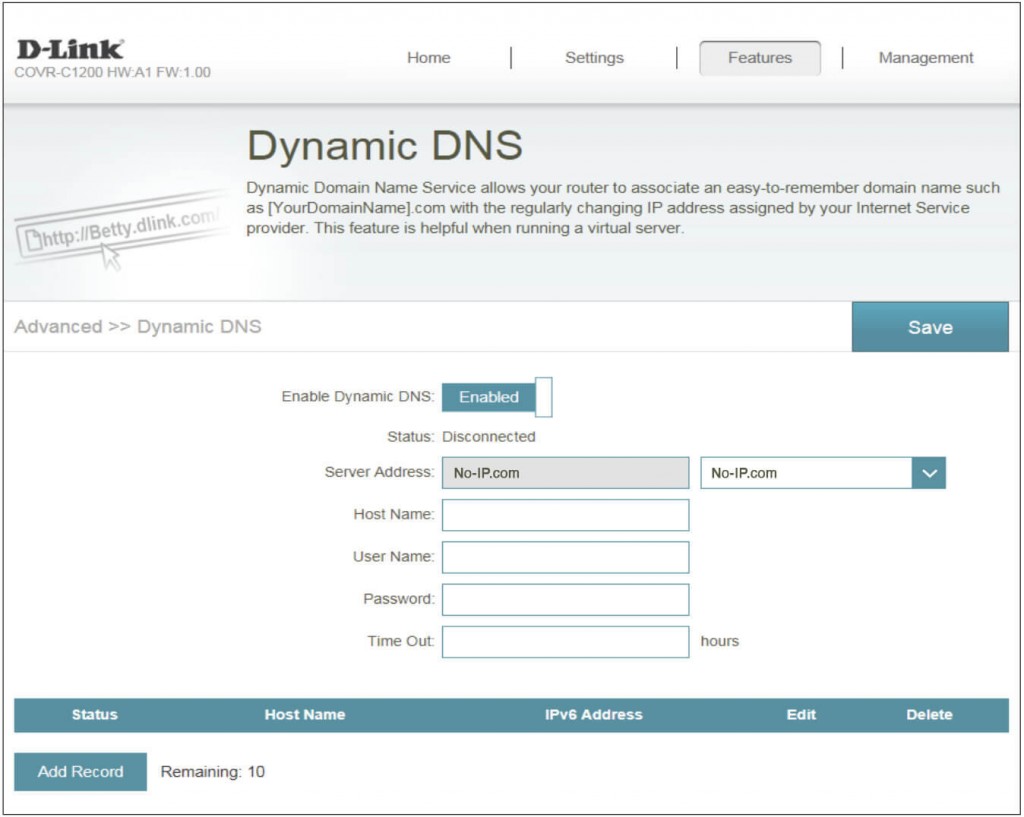
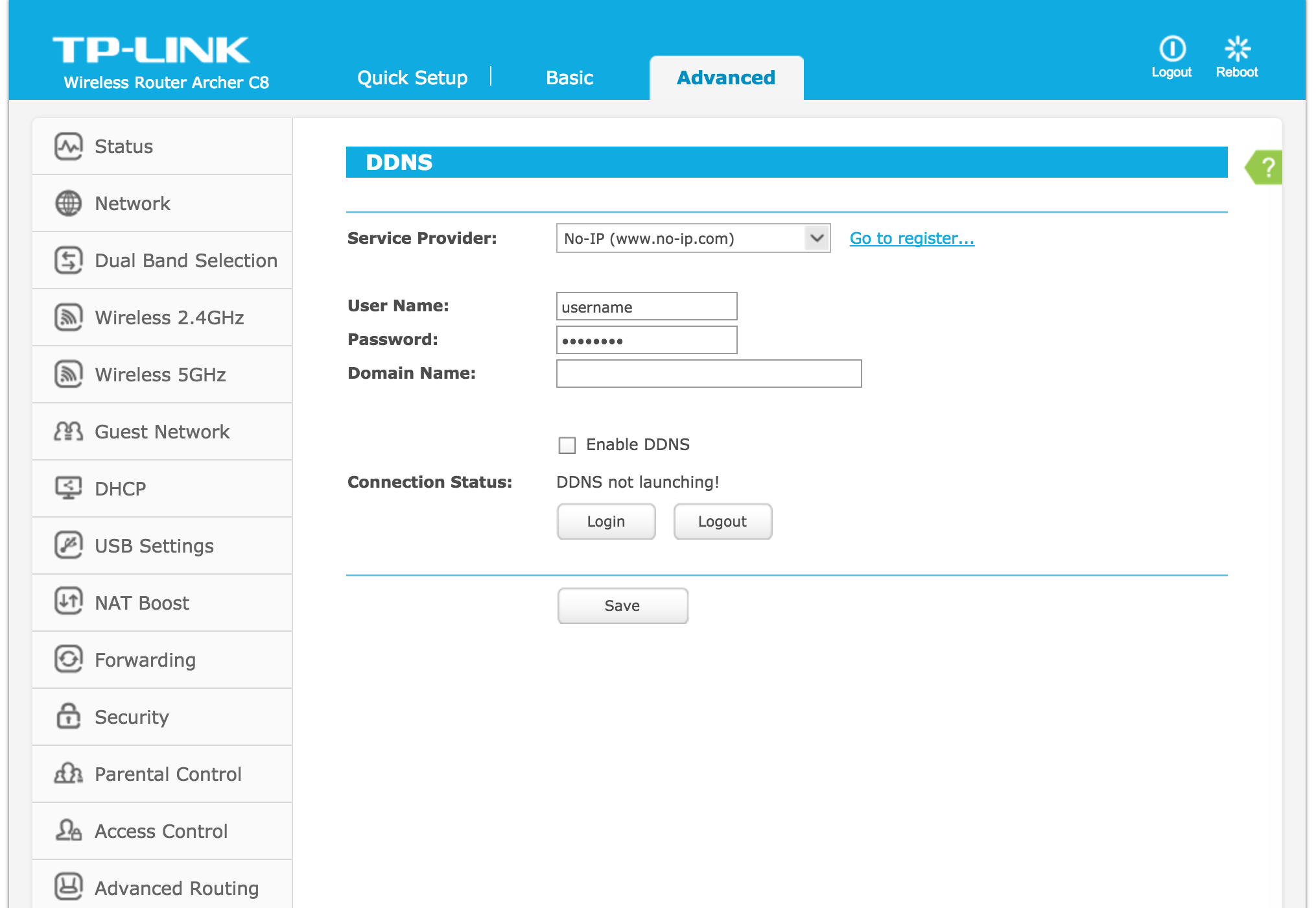
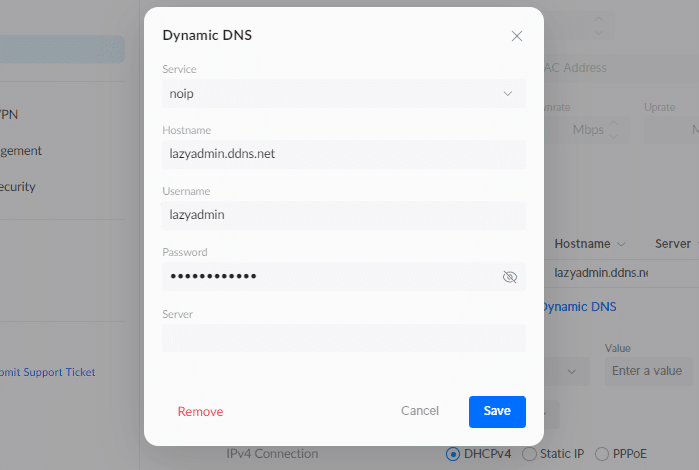
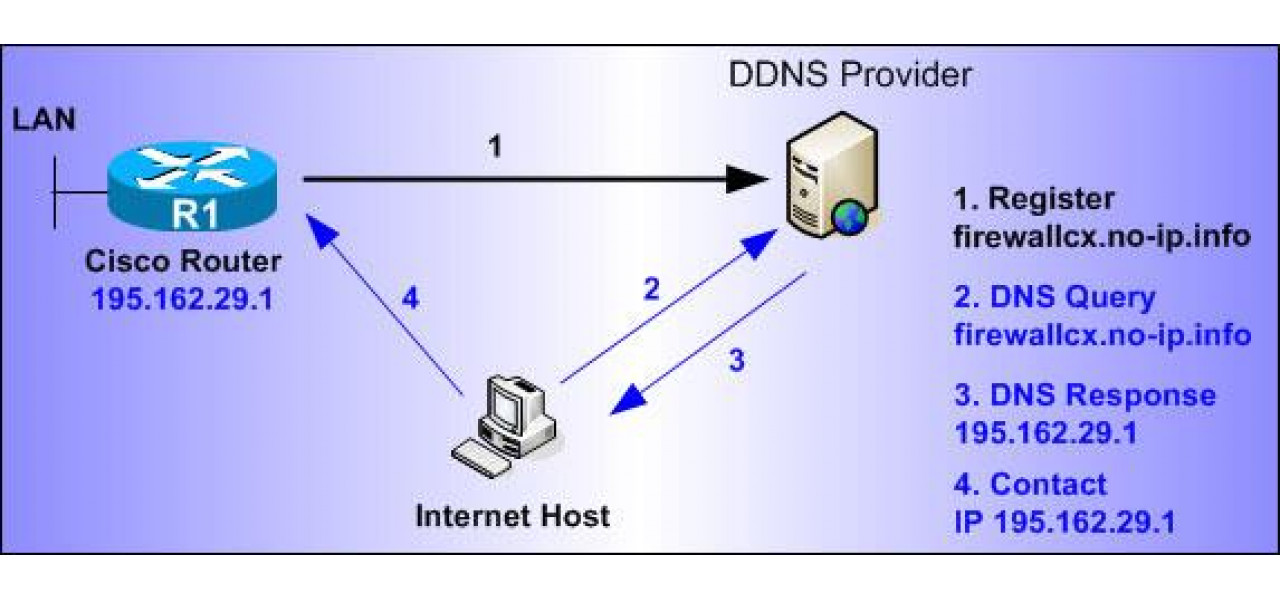
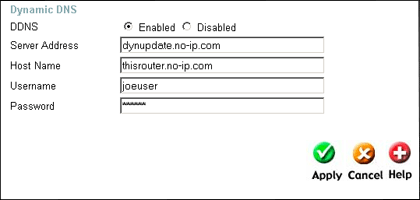
This guide will walk you through the D-Link router configuration for No-IP's Dynamic DNS service and provide you with additional information and resources.

Furthermore, visual representations like the one above help us fully grasp the concept of Dynamic Dns Setup On D Link Router For Vendor Management.
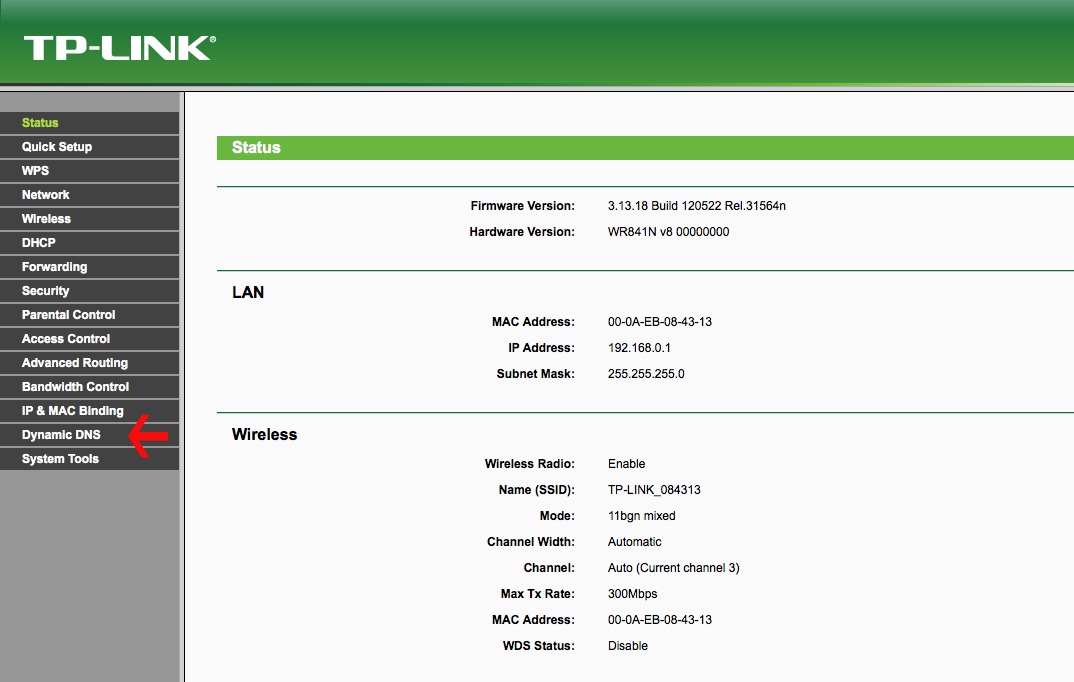
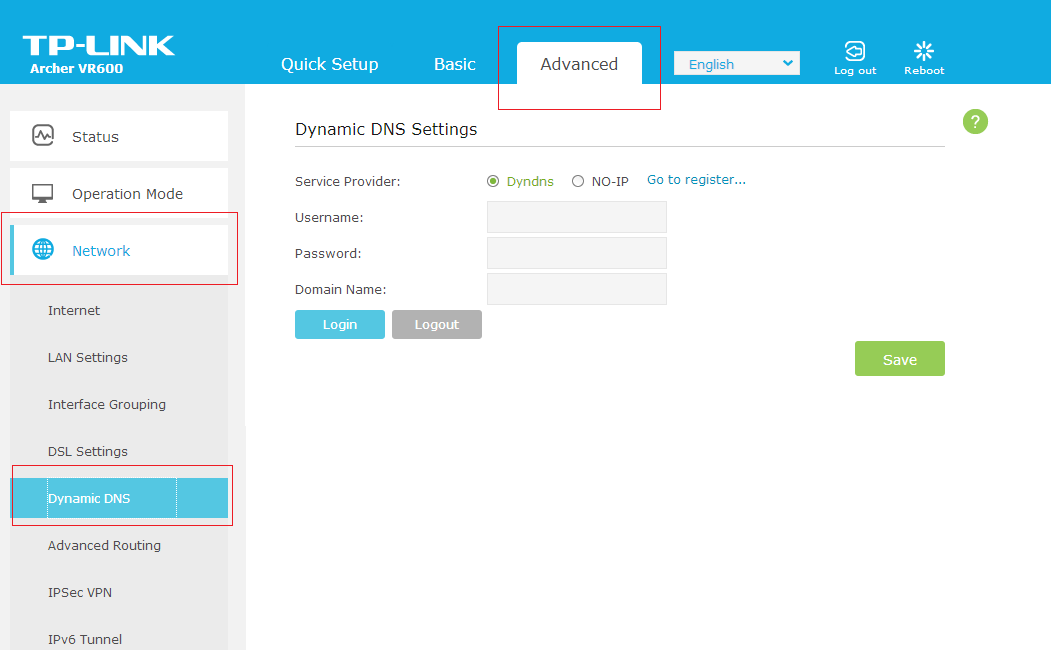
Step 3: Click on Advance tab then Click on Dynamic DNS on the left hand side.
Router Dynamic DNS Configuration
I have a DIR-X5460 EXO AX AX5400 Wi-Fi 6 Router I configured the Dynamic DNS on the router to update my IP Address for my no-ip.com hostname. This is the configuration instructions: DLink Instruction page I have all the setting fields configured correctly because I tested it by changing the IP address for that hostname in my no-ip.com account to 1.1.1.1 Then I rebooted the router and it did ...
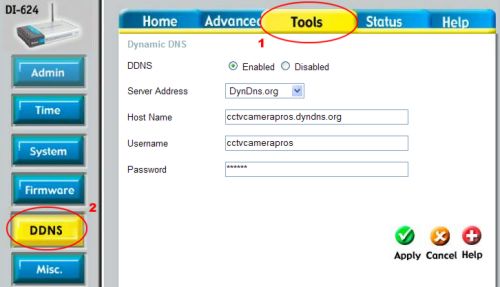
Learn how to configure DDNS in a router by clicking through to this helpful Knowledge Base article.
How to Configure a D
Understanding Dynamic Dns Setup On D Link Router For Vendor Management Before the Gallery
D-Link Router Setup for Smart DNS Proxy - Privado. This note connects the source idea with the visuals in a simple, reader-friendly way.
D-Link Router Configuration for Dynamic DNS | Support | No-IP Knowledge. It gives the article a little more context before the image collection begins.
How do I configure Dynamic DNS on my router? | D-Link. It works as a short bridge between the article summary and the gallery section.